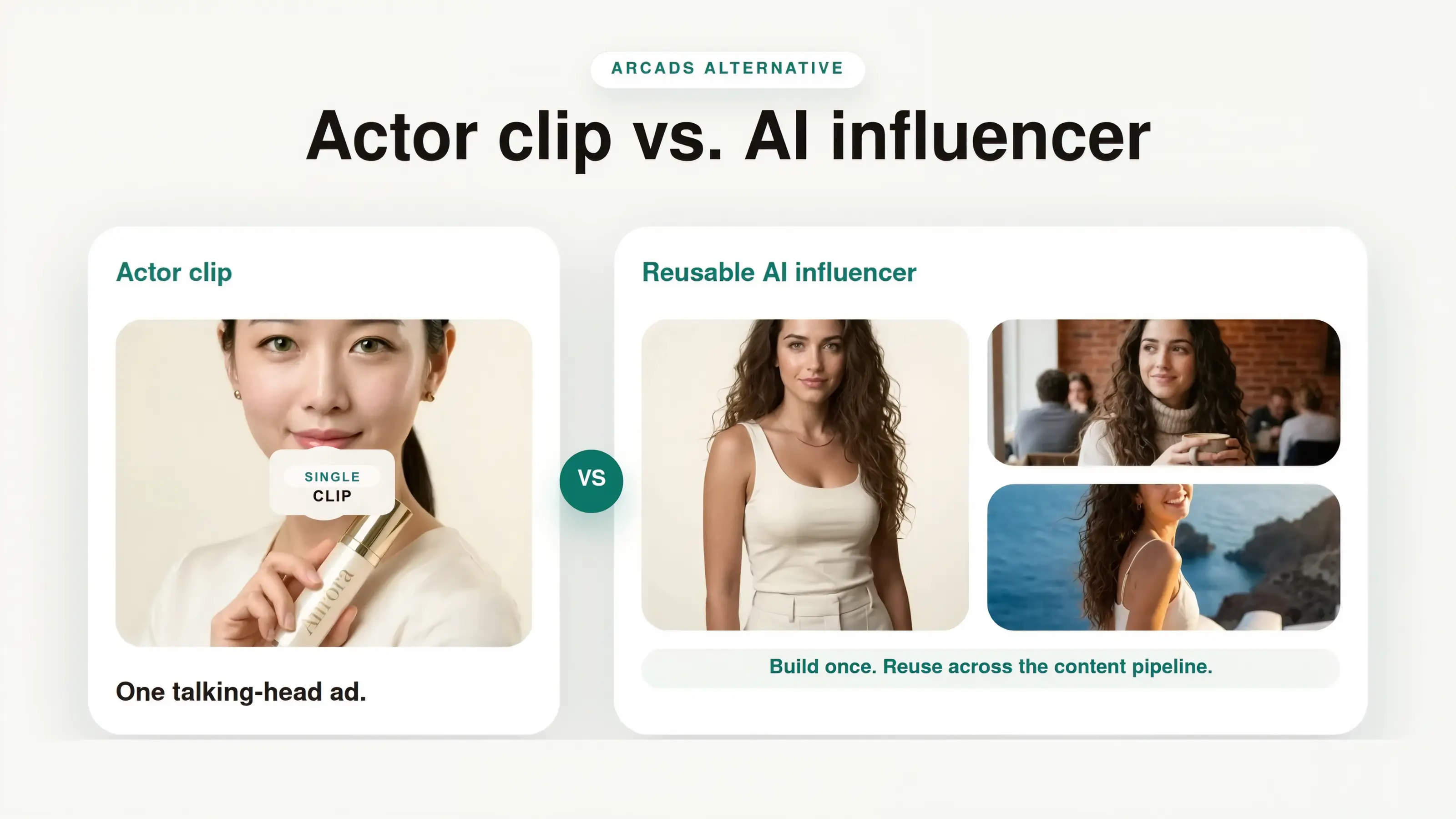
The best Arcads alternative is The Influencer AI, an AI UGC generator and studio where you build one AI influencer you own and reuse across everything you make. That's the core difference: Arcads is a video-ad machine built on shared, rented actors, while most people making UGC need content they control. If you're a creator or a small team producing content for social and ads, you'll hit three walls with Arcads: the face isn't yours unless you pay up, you can't truly edit your own images, and everything funnels toward a talking-head clip you finish in another app. Here's the honest breakdown.
Here's the short version, since that's probably what you came for:
Owned AI avatar
Top tier only
Built in, from $19
Edit images you already have
No - generates new scenes only
Yes
What it outputs
Talking-head video
Photos, edits, try-ons, and video
Motion-transfer a real video
No
Yes
Clone yourself from photos
Top tier, video only
Creator plan and up ($39), across photos and video
One avatar across everything
Re-set per video
One you own, reused everywhere
Starting price
~$110/mo (no public pricing)
$19/mo
The rest of this explains what Arcads actually is under the hood, the three walls you'll hit if you make a range of content, and the cost math that makes the decision for you.
Build your first AI influencer
Create one AI avatar you own, then edit, reuse, and move it across photos, product shots, video, ads, and social.
In this comparison
The thing nobody tells you about Arcads' AI actors
Most of Arcads' actors are real people.
Not purely generated faces. The core library is real human performers, filmed, then re-animated with AI lip-sync and voice so they'll say whatever you type. That's the open secret behind why Arcads looks so much more convincing than the typical avatar tool. There's an actual person under the hood of its best actors, and lip-syncing new words onto footage of a real human is a problem AI mostly solved a while ago. The realism isn't really an AI breakthrough; it starts with a camera and a real actor.
Arcads also generates fully synthetic actors, and tellingly ships a Skin Enhancer tool to make those look less artificial. That is a reminder that the realism people praise comes from the real-performer side of the library.
This matters for three reasons, and none of them show up in the demo reel.
The face usually isn't yours. On the plans most people buy, you're picking from a shared library, so the "creator" vouching for your supplement this week is also selling someone's phone case and a third brand's protein powder. Arcads does offer custom actors that hold one face across videos, but a custom actor that's actually yours sits on its top tier, tracked by reviewers well above the roughly $77 to $110 entry plan. So a face that's yours exists; it just costs a big step up to get one.
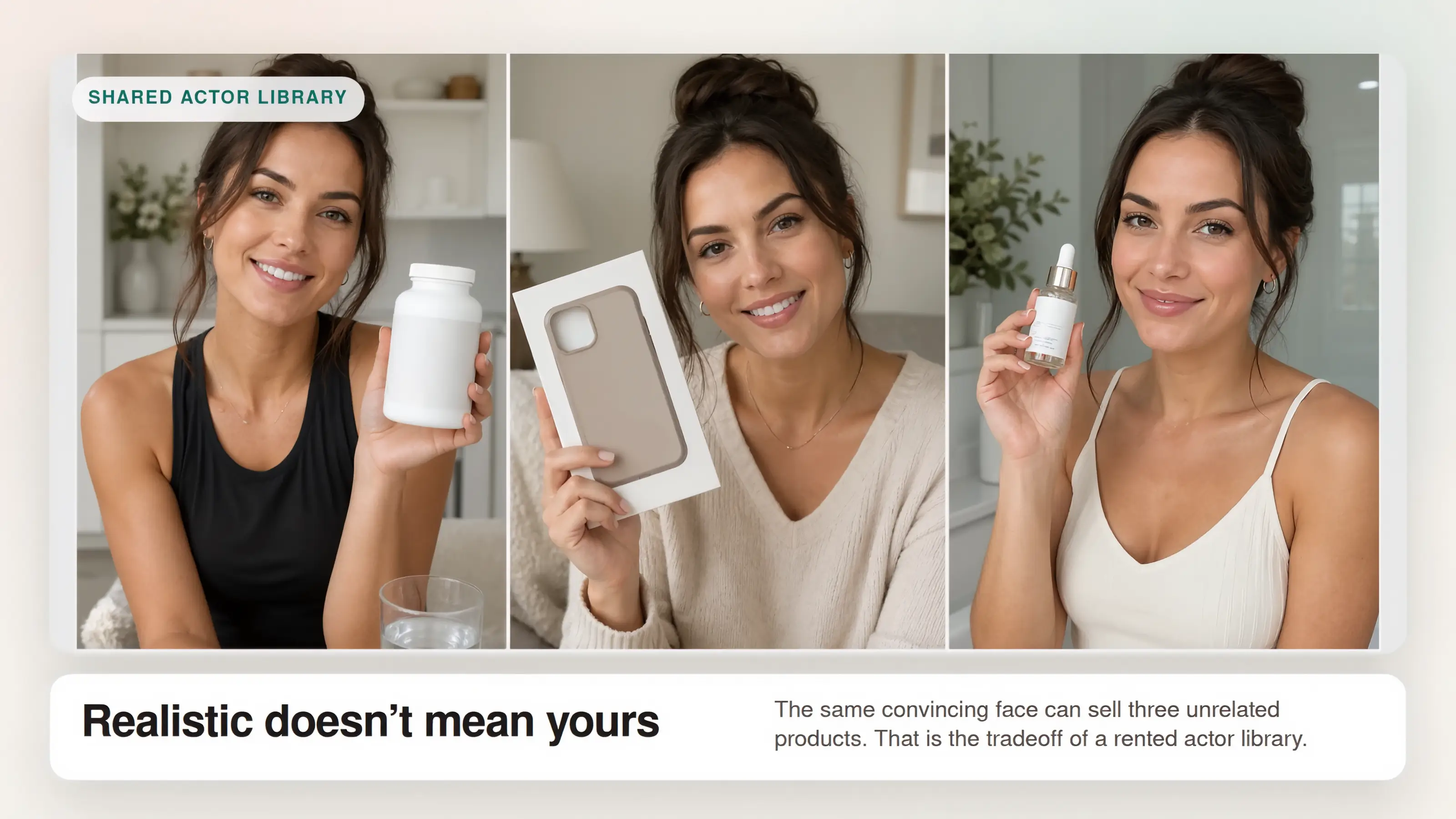
You can generate images, but you can't truly edit them. This is the one that catches most people out. Arcads can take your product or reference photo and generate it into a described scene, like a coffee shop in Paris or a minimalist white studio. What it can't do is edit an image you already have: insert your actual product into an existing shot, retouch a specific area, or swap an element while keeping the rest. It generates from a prompt; it doesn't edit what exists. The moment you need to place a real product, a logo, or a specific detail into a shot you already have, that's a hard limit.
Everything funnels toward a talking-head clip. Look at any Arcads workflow and it ends the same way: generate an image, then turn it into video. The stills are scaffolding for a talking actor, not finished deliverables. And when you string clips together, Arcads itself tells you to combine them using a third-party video editing tool outside of Arcads. It is a video-ad assembly line, and you still finish the job somewhere else.
The real gap: generating versus owning and editing
Strip away the marketing and what separates the two tools is simple.
Arcads generates. You give it a prompt and a reference photo, and it produces a fresh scene around it. Useful, but generating a new scene and editing an existing one are different things, and Arcads only does the first. There's no way to take an image you already have and change it: drop a real product into a real photo, retouch one area, swap an element while keeping the rest. Generation isn't editing, and a lot of real content work lives on editing.
The Influencer AI is built the other way around. You create one AI avatar you own, then edit freely: insert products into existing images, change backgrounds, adjust what's there, and reuse the same face across everything you post. The model is yours, the edits are real, and the output is the deliverable, not a still on its way to becoming a talking-head clip.
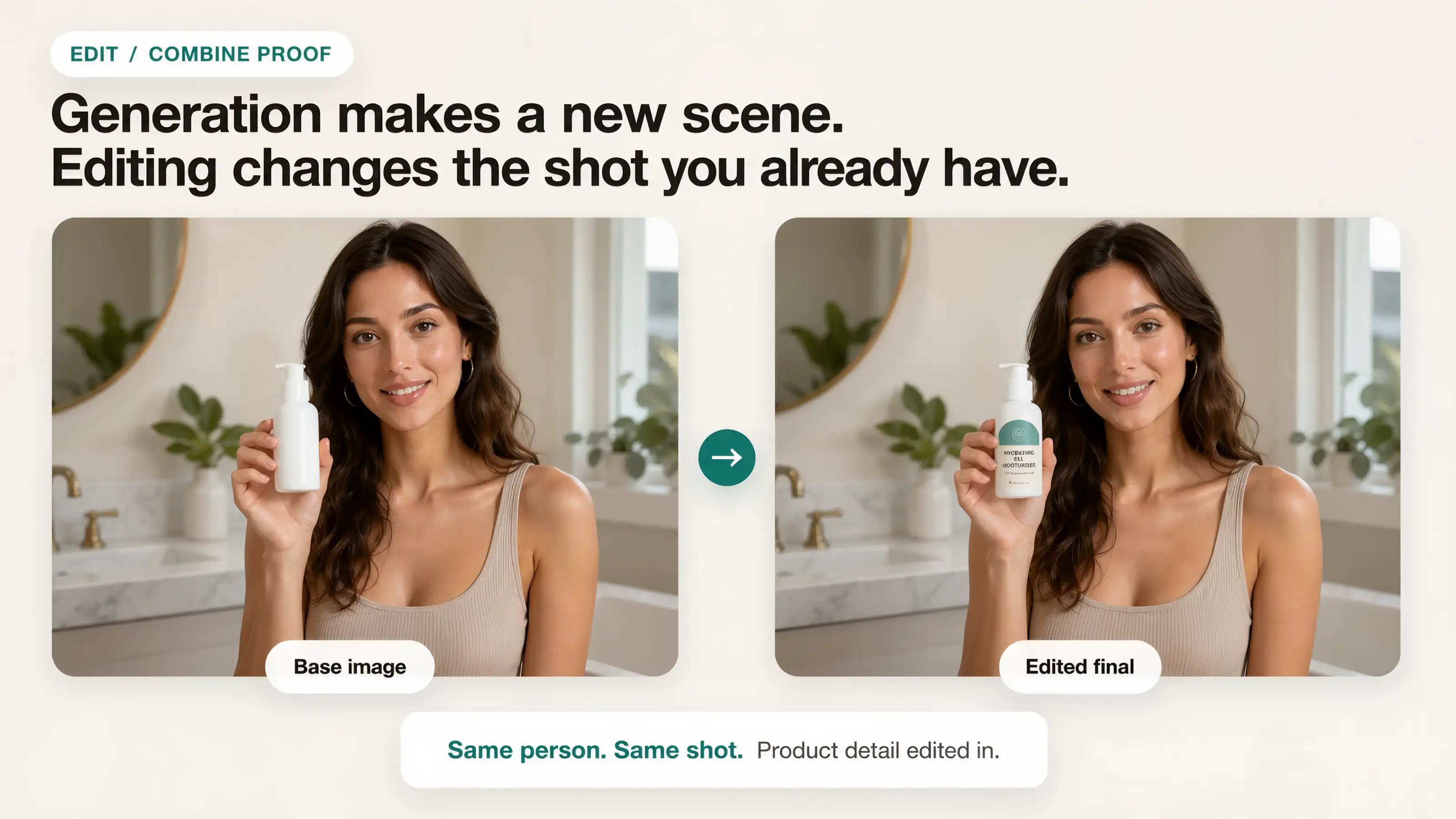
That's the difference between a content studio and a video-ad generator. One gives you assets you control. The other gives you clips you finish elsewhere.
One face people actually recognize
The distinction that matters most over time is consistency, and it's worth being precise about, because both tools claim it.
Arcads can hold a face steady inside a video. Set up a reference image, reuse the voice settings, and a given actor stays recognizable across the clips in that batch. That's real, and it's fine for a run of ads.
But it's consistency you re-establish each time, inside a video-first workflow, not a person you build once and keep. There's no single avatar that lives in your account and carries, unchanged, across a photo, an edited shot, a try-on, and next month's video. You're re-assembling the character per project.
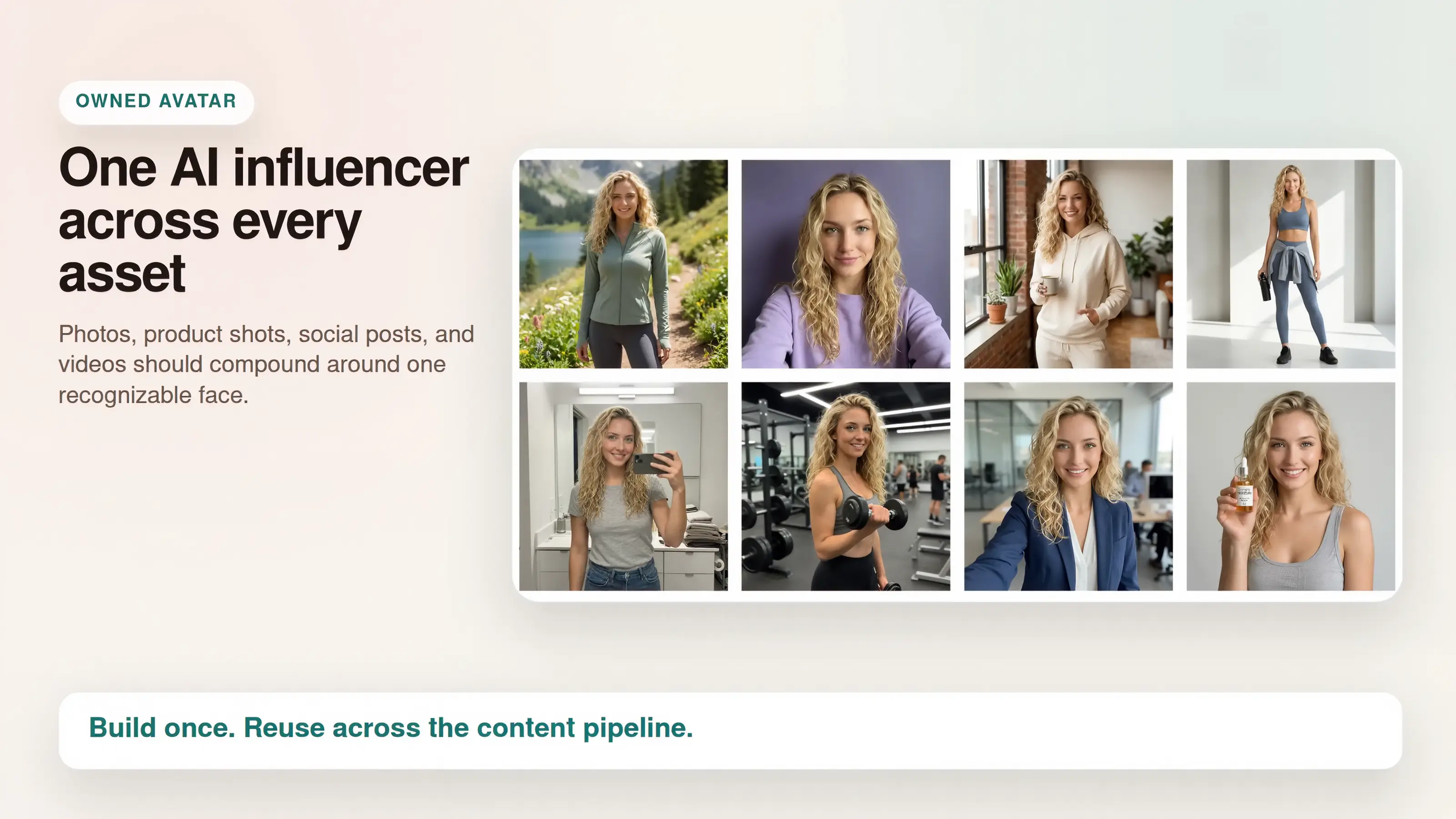
The Influencer AI works the other way: you create one AI avatar, once, and it is the throughline. The same face appears in your photos, your edits, your product shots, and your video because it's the same owned model underneath all of them, not a reference image you re-feed each time.
Why that compounds: a face that shows up everywhere, unchanged, post after post, is a face your audience starts to recognize. That recognition is the whole point of UGC: the quiet familiarity that makes a feed feel like a real person or brand instead of a stream of strangers. A rented actor you re-summon per video can't build it, because there's no continuous identity to accumulate. An AI influencer you own can, because every post you make adds to the same face.
What about Arcads' newer features?
Arcads' feature list is genuinely growing, so it deserves a fair look. Custom actors, product-in-scene image generation, a Fashion Try-On tool, preset movement models, multilingual output. If you've seen those, you might reasonably wonder whether the gap still holds. It does, for three reasons that survive every feature they've shipped.
Your own uploaded face is still a top-tier upgrade. The custom actor is real and good. But it sits on the top tier, tracked well above the roughly $77 to $110 entry plan, while everyone on the starting plans shares the same rented library. On The Influencer AI, an owned custom avatar starts at $19, and uploading your own photos to clone yourself starts on the $39 Creator plan.
It generates; it doesn't edit. Every new image feature is still prompt-to-scene. None of it lets you edit an image you already have, which is the gap that matters most for real content work.
It can't motion-transfer a real video. Arcads can swap a face in a template with Replace Actor or apply a preset movement, but it can't take an arbitrary reference video and replicate its motion onto your character, something The Influencer AI does directly. For matching a trending video's exact movement, that's a capability Arcads simply doesn't have.
The pattern: Arcads keeps adding capabilities around the talking-head video, because that's the machine it is. Most creators don't need a better talking head with accessories. They need an owned avatar, real editing, and motion transfer in one place: a different machine.
Put yourself in the content: clone yourself
There's one more thing worth calling out on its own, because it's the most personal version of "a face that's yours": you can clone yourself.
Upload a set of your own photos and The Influencer AI builds an AI clone of you: your face, used across photos, edited shots, try-ons, and video. You shoot once, then generate endless content as yourself without ever setting up a camera again. For a solo founder who wants to be the face of the brand, or a creator who wants to scale their own presence without filming every post, this is the feature that does it, and it starts on the Creator plan, not the custom-quoted top tier.
To be fair, Arcads has a version of this too: My Cloned Actors. But it lands the same way every Arcads feature does: it's gated to the top PRO tier, and it's built for talking-head video of the cloned actor holding a product. Your clone on The Influencer AI isn't a custom-quoted add-on and isn't video-only. It's a face you own and use across stills, edits, and video alike, on Creator and higher plans.
So the cheapest way to get an AI version of yourself, working across your whole content pipeline, isn't Arcads' enterprise tier. It starts with The Influencer AI's $39 Creator plan.
Why this matters if you make more than ads
UGC is rarely one asset. A creator or small brand needs photos for the feed, fresh angles before the current ad burns out, content for different platforms, a recognizable face across all of it, and often product or lifestyle shots that start from images you already have: a real product, a real place, a specific detail you need to place, retouch, restyle, and reuse. Ecommerce brands feel this hardest, but a solo creator promoting an affiliate product or their own merch hits the exact same wall.
That's the work Arcads' generate-from-prompt model can't do, and it matters more than the sticker price, though as it turns out, the price isn't on Arcads' side either.
If you want more background on the format difference, read our guide to AI influencers vs. UGC creators. If you're still defining the category, start with what an AI influencer is. To see the wider field, read our comparison of eight AI influencer tools.
The cost math, with real numbers
Forget "cheaper." The honest question is what a month of each tool actually buys for the job you're doing. Verify both of these before you quote them, because Arcads hides its pricing and ours can change, but here's where they stand today.
Arcads. No full public pricing; you sign up to see it. Third-party trackers consistently put the entry plan around $110/month, discounted to roughly $77 lately, and bill in credits, with the entry tier landing around 10 finished videos, no rollover, and a step up to a top tier for custom actors and higher volume. Reviewers note credits get eaten by retries, so a stated count is "if nothing misfires." Image generation is included, but it's prompt-to-scene generation feeding the video pipeline, not an editing suite, and not a face you own at that price.
The Influencer AI. $19/month for 100 credits, where one credit is one photo and a short video runs a few credits per second, all drawn from the same pool. So that $19 is around 100 photos, or a batch of short videos, or any mix, plus try-ons, background swaps, edits, and lip sync, all from the same credits. The $39 plan is 250 credits, the $99 plan is 700. Per-credit cost runs about 19 cents down to 13 cents as you scale.
Now line them up against a real month. Say you need a batch of photos, a few product or lifestyle shots, some edits to images you already have, and a handful of video clips, all featuring one consistent face. On The Influencer AI, that's a comfortable $39 month: one AI avatar you own, real editing, motion transfer, and video, from a single credit pool. On Arcads, you can generate scenes and clips, but you can't edit your existing images, the consistent face that's truly yours is a tier-up, and you finish the video in another app. You're paying a higher floor for a narrower, generate-only pipeline.
The structural difference isn't price-per-clip. It's that the same money buys you an asset you keep and can edit, versus a stack of clips you rent and finish elsewhere. That's why "cheaper" undersells it: you're not comparing two of the same thing.
See what $19 actually makes
Use one credit pool for photos, product shots, edits, short video, lip sync, and AI UGC content.
So who should actually use Arcads
Arcads is best in its category at one narrow thing, and this matters: putting a convincing person on camera to deliver a script, in lots of variations and languages. If you sell SaaS, an app, a course, or a service, and your ad is fundamentally someone talking, Arcads is a strong buy and the talking-head limit isn't a limit for you. The actor is the ad, and Arcads makes a great actor.
The trouble is only that making UGC at large is a different job. Often the product or the visual is the point, your images already exist and need editing, and your face should be yours, none of which is what a rented-actor video generator is built for.
How to decide in one afternoon
If you sell a service or anything explained by talking, test Arcads. That is where its talking-head actor workflow is strongest, and the limits around image editing or owned cross-format identity may not matter much for that job.
But if you're a creator or small brand, what you need is one AI avatar you own, one you can edit, reuse, and motion-drive across photos, product shots, video, and the content treadmill that never stops. Start with The Influencer AI. Build the avatar, then put it to work on a real batch: drop a real product into a shot, retouch it, place the avatar in a new scene, transfer a trending video's motion onto it. Check that the same face holds across all of it. If it does, you don't have a rented clip and a receipt. You have something you own and can keep building on.
And if you're switching from Arcads: the tell is what you can't take with you. The rented actors were never yours, and the generated scenes can't be reopened and edited. The avatar you build here, and everything you make with it, is the thing you keep.
Create your first AI influencer
Build the AI avatar you keep: product edits, lifestyle shots, short videos, talking clips, motion transfer, and social ads from one recognizable AI influencer.
Create Your AI InfluencerFAQ
What is the best Arcads alternative?
The Influencer AI is the best Arcads alternative for creators and small brands that want one AI avatar they own and can edit: inserting real products into existing images, retouching, and reusing the same face across all their content. Arcads is the better choice when you mainly want high-volume talking-head video ads with its actor library.
Are Arcads' AI actors real people or fully AI-generated?
Mostly real. Arcads' core library is real human performers captured and re-animated with AI lip-sync and voice, which is why the output looks so natural. It also generates fully synthetic actors and has a Skin Enhancer tool to make those look less artificial. Either way, on the entry plans the actors are shared across customers; a face that is exclusively yours requires its top, custom-quoted tier. Confirm current details on Arcads' own site, since their models keep evolving.
How much does Arcads cost?
Arcads does not publish full pricing on its public marketing pages, so you sign up to see the current checkout. Third-party trackers report an entry plan around $110 per month for roughly 10 videos with no rollover, though promotional discounts appear, so verify the checkout price yourself. The Influencer AI starts at $19 per month for 100 credits and a 3-day trial.
What does Arcads not do?
Three things a lot of UGC relies on. It cannot edit images you already have: no inserting a real product into an existing shot or retouching a specific area; it only generates new scenes from a prompt. It cannot motion-transfer an arbitrary reference video onto your character; it offers face-swap and preset movements instead. And a custom actor that is truly yours is locked to its top tier, while entry plans share a rented library. It is a strong video-ad generator; it is not an owned, editable content studio.
Can you create your own custom actor in Arcads?
Yes, but it is gated to Arcads' top, custom-quoted plan, tracked by reviewers at roughly $385 per month, not the entry tier where you use a shared library. By comparison, building a custom AI avatar starts on The Influencer AI from $19 per month; uploading your own photos to clone yourself starts on the Creator plan at $39 per month. Verify Arcads' current tiers directly, as pricing is login-gated.
What is the best AI UGC tool for product photos?
The Influencer AI, if you need a consistent AI avatar you own and the ability to edit real shots: insert a product into an existing image, retouch, restyle, and reuse. Arcads can generate product-in-scene images from a prompt, but it cannot edit images you already have.
Should I use AI UGC or real creators?
Often both. Use AI for volume, repeatable content, product and lifestyle visuals, and a consistent face; use real creators for trust-heavy proof and genuine reactions. Lean entirely on one and you will either look fake or run out of budget.
Can Arcads keep the same person across all my content?
Within a video, yes. Using a reference image and matched voice settings, an actor stays recognizable across clips. What it does not give you is one persistent AI avatar you build once and reuse, unchanged, across photos, edits, product shots, and video. The Influencer AI is built around exactly that: a single owned model that is the same face everywhere, so it accumulates the recognition that turns a feed into a brand.
Can Arcads do motion transfer?
Not in the sense of taking an existing video and replicating its exact motion onto your avatar. Arcads offers Replace Actor and preset movement styles, but not arbitrary-reference motion transfer. The Influencer AI does this directly: feed it a reference video and it transfers the motion onto your AI avatar, which is useful for matching a trending clip's movement.
Can I clone myself with The Influencer AI?
Yes, on the Creator plan and higher. Upload your own photos and The Influencer AI builds an AI clone of you that works across photos, edited shots, try-ons, and video, all from one consistent face. The $19 Starter plan lets you create a custom AI avatar, but it does not include upload-photo self-cloning. Arcads also offers self-cloning through My Cloned Actors, but it is limited to the top PRO tier and built for talking-head product video, not stills and editing.
Can The Influencer AI make video too?
Yes. The Influencer AI can create short video from your avatar's photos, talking video with lip sync, motion transfer, and UGC-style promos. The difference is that the video comes from a consistent AI avatar you also use for photos and product content, so everything matches and draws from one credit pool.