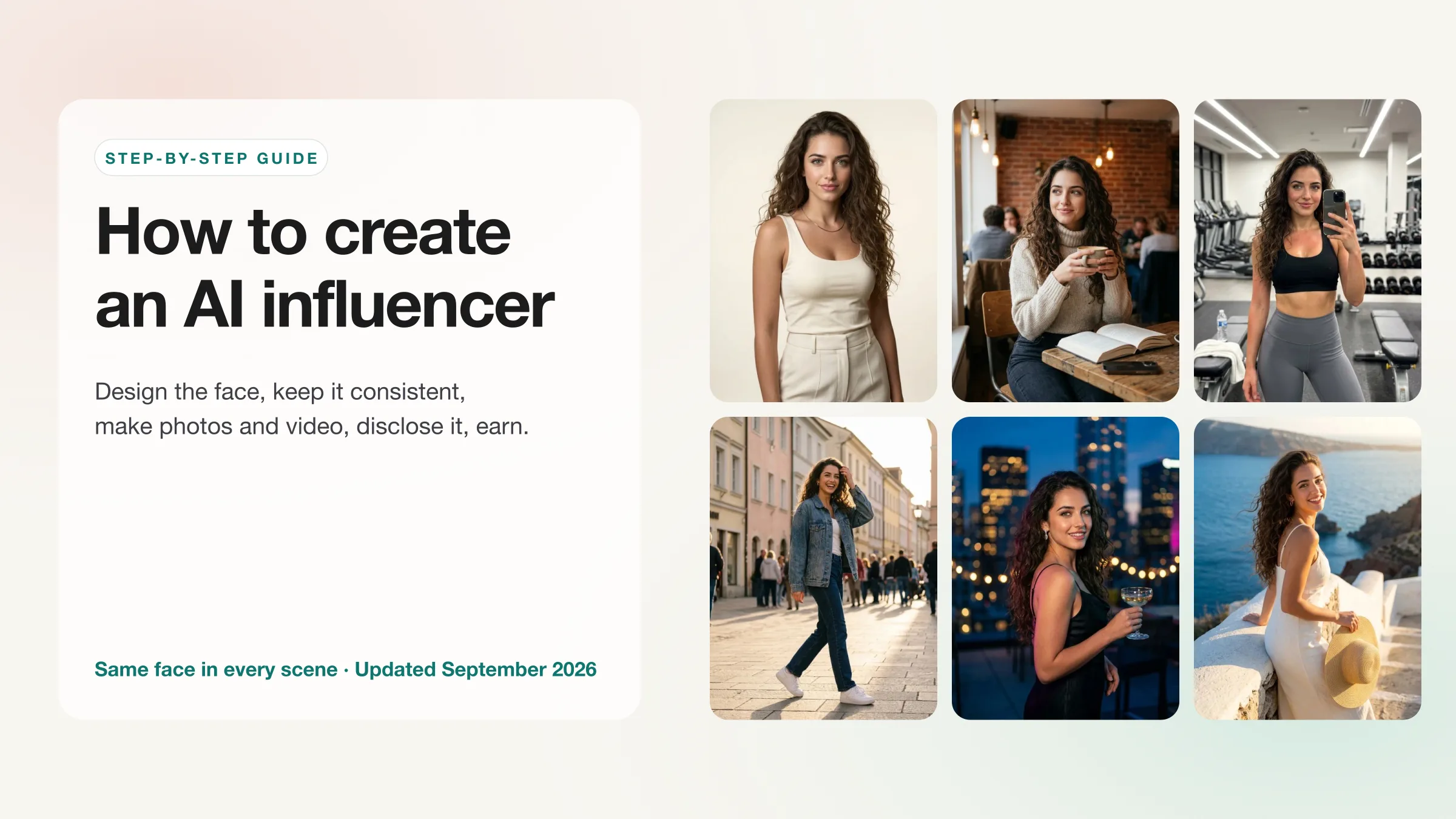
To create an AI influencer, you pick a niche, design one face, lock it so it stays the same in every image, then produce content from it: a first set of photos, short videos, and talking clips. You launch the account with a two-week library already made, disclose that it is AI, and monetize it the way a human creator would. The tool decides how hard the middle steps are. With a general image generator you describe the person in every prompt and the face drifts. With an AI influencer generator such as The Influencer AI you build the persona once, from traits, from your own photos, or from a pre-made library, and every later photo, video and edit starts from that saved identity. Expect about an hour to set up, a few hours a week to run, and from $29 a month. The rest of this guide walks through each step with real screenshots and outputs.
How we made this guide, and who we are
We build The Influencer AI, so the worked example uses our own product and you should read the tool recommendations as our honest case rather than neutral journalism. Every screenshot and output on this page is real and unretouched. Competitor prices were read from their live pricing pages (HeyGen on September 17, 2026; Higgsfield on October 5, 2026). Platform rules link to the platform or the reporting that broke them. Prices and policies change; check the source before you decide.
In this guide
What do you need before you start?
You need a niche, a one-page persona brief, a generator that keeps the face consistent, and a disclosure plan. You do not need a camera, a GPU or any design skill.
- A niche you can post in every week. Fitness, fashion, travel, food, finance and business are the subjects that show up most among our paying users, and the account type that pays most often is a personal influencer brand rather than an experiment. A “lifestyle” account competes with everyone; a fitness account for people over 40, or a streetwear account in one city, has an audience that is actually looking.
- A persona brief. Name, age range, look, the three or four settings she or he will be seen in, what the account is for, and a tone of voice for captions and scripts. Write it down before you generate anything; the brief is what keeps the account coherent when you are on post 80.
- A tool that saves the identity. There are three routes. Prompt-only tools such as ChatGPT or Midjourney give you a new person every time unless you fight for it with reference tricks. Training a LoRA yourself works and is a weekend of tooling. A persona studio saves the face once and generates from it, which is the route this guide uses.
- A disclosure plan. Decide now that the account will be labeled as AI. Step 7 explains why this is no longer optional on Instagram or TikTok.
Example brief, the one behind Mia
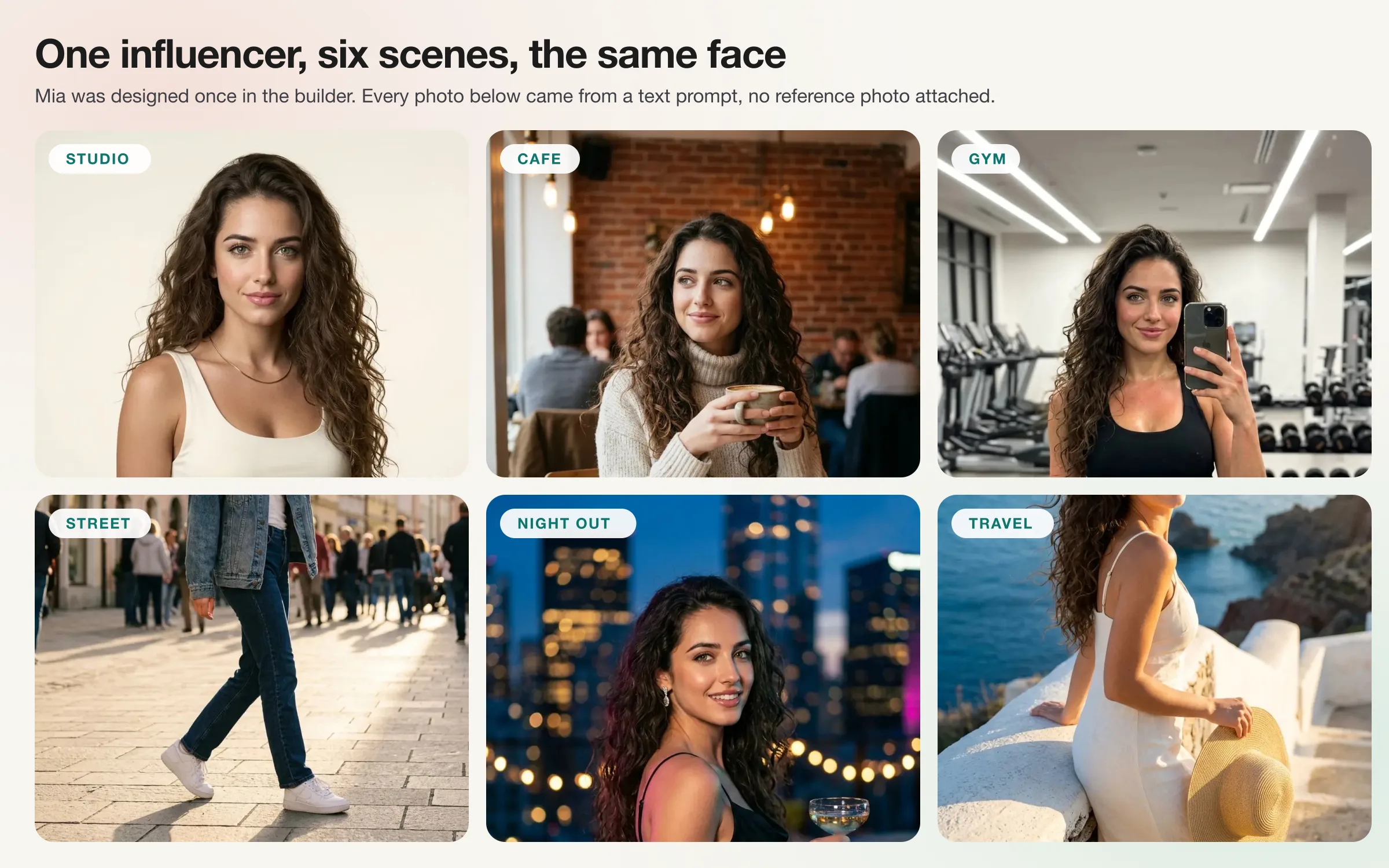
Mia, 27, fitness and travel creator based in a Mediterranean city. Curly dark hair, green eyes, athletic build, no visible tattoos. Seen in: a home gym, a corner cafe, city streets, the coast. Account is for a personal influencer brand, later sponsored by activewear and travel products. Tone: warm, direct, first person, no exclamation marks. Always labeled AI.
How do you design a face that stays consistent?
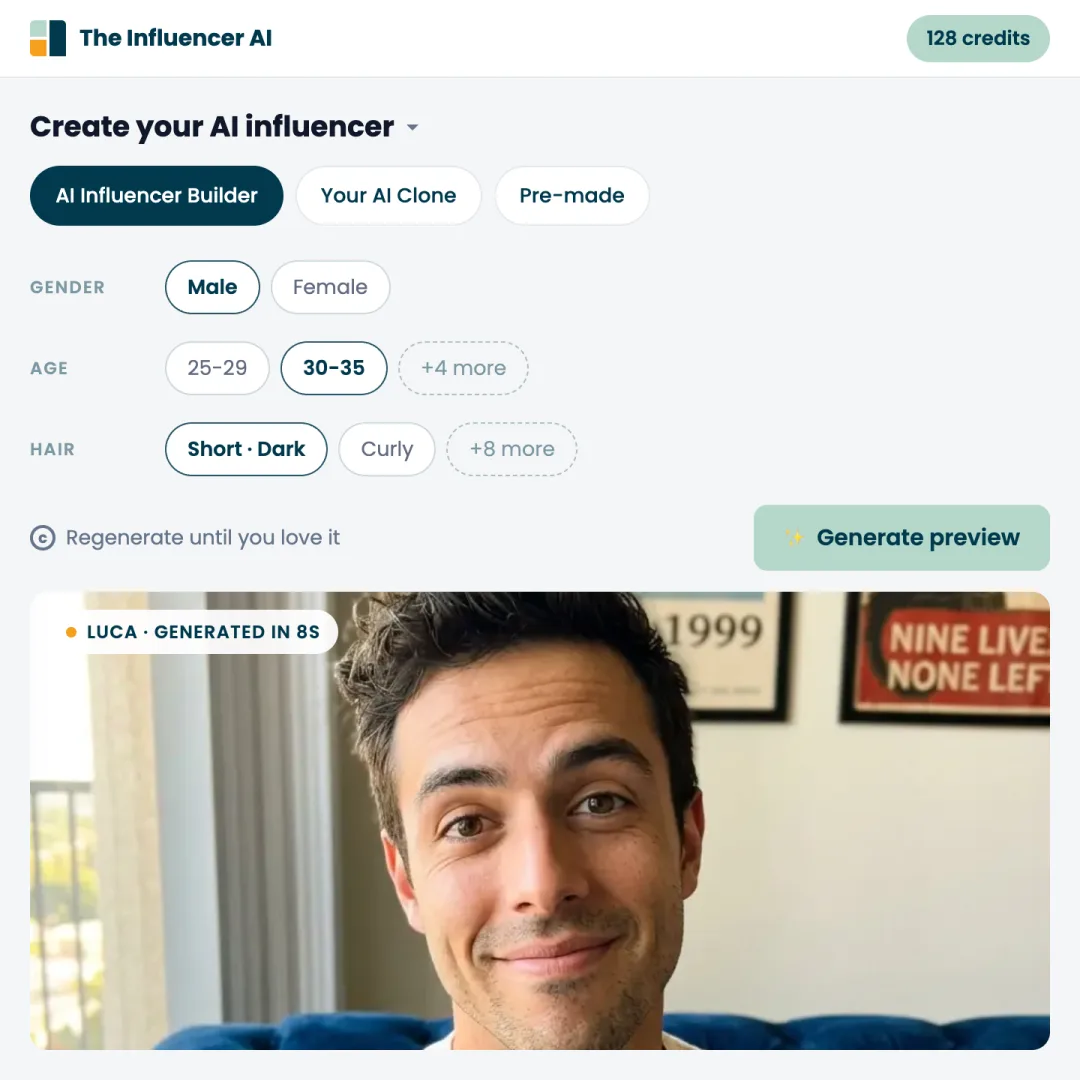
Consistency comes from a saved identity, not from a long prompt. Build the persona once and generate everything else from that anchor. In The Influencer AI there are three ways to create an AI influencer, and all three end in the same place: a named influencer whose face every later photo, video and edit is generated against.
| Method | Best for | How it works | Availability |
|---|---|---|---|
| AI Influencer Builder | A fictional persona you design from scratch | Pick traits from chips (gender, ethnicity, age, eyes, hair, body type, skin tone), generate a preview, regenerate until the face is right, name it. | Every plan. Building the face is free; credits are spent only when you generate photos or video. |
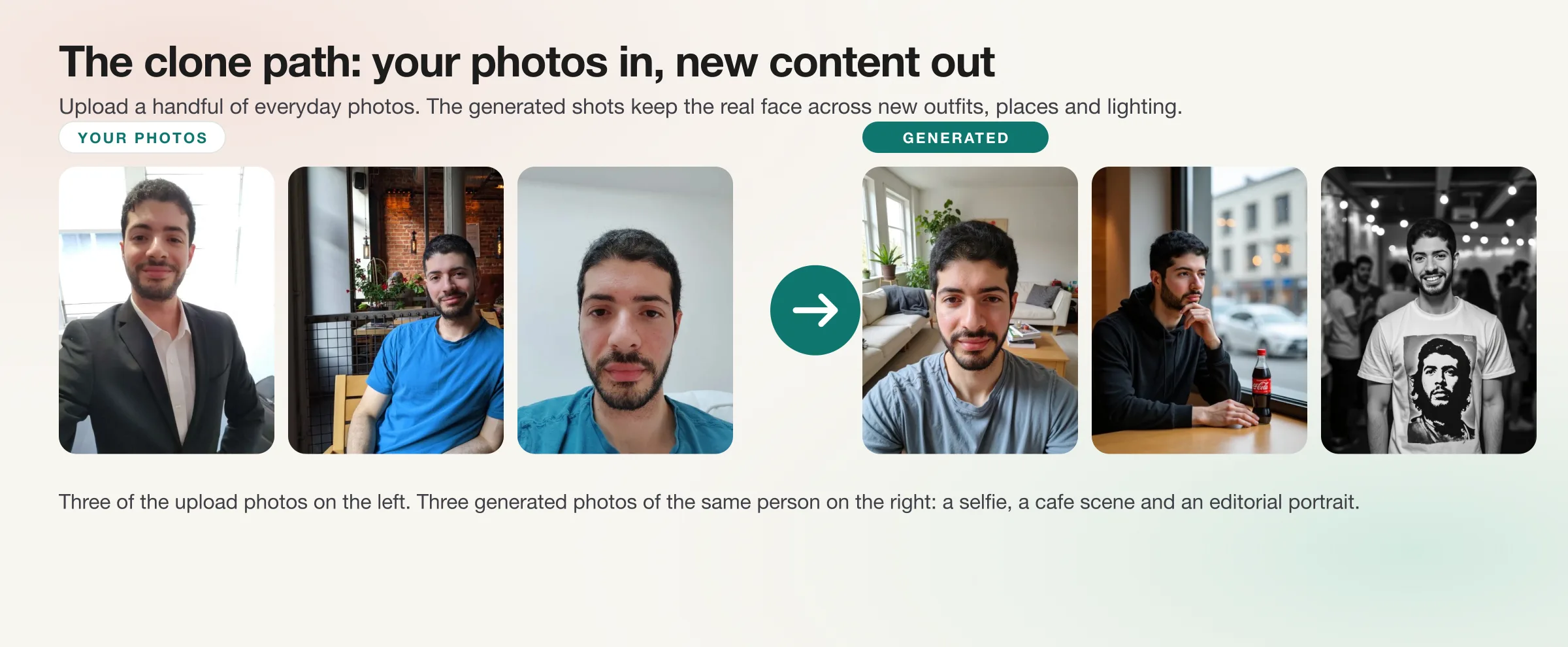
| Your AI Clone | An influencer that is you | Upload 1 to 4 everyday photos from different days, face clearly visible, different angles and lighting. The clone keeps your real face across every new photo and video. | Creator plan and up. |
| Pre-made Model | Testing the workflow or a quick campaign | Add a ready-made influencer to your collection and start generating in seconds. No design step. | Every plan, unlimited, and they do not use your monthly custom-influencer slot. |
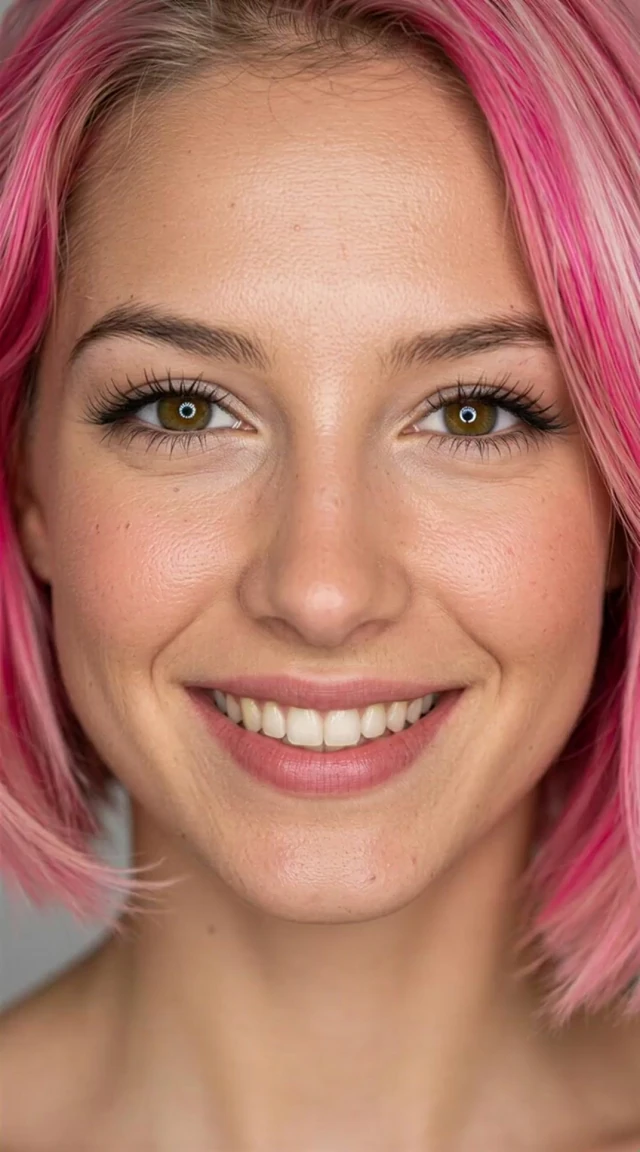
The builder is the route for a persona you invent. It is a set of chips: gender, ethnicity, age range, eye color, hair length, texture and color, body type, skin tone, and a hijab option. Any chip can be left on “Best Fit” and the generator chooses. Generate a preview, look at it as a follower would, and regenerate until the face is one you would stop scrolling for. The preview you keep becomes the identity image, and from then on the face is stored, not re-described. That is the difference between an AI influencer generator and an image generator.
Tips from the builder
- Choose distinctive but plausible features. One memorable trait (Mia's curls, a gap tooth, red hair) is what an audience learns to recognize. Generic pretty is forgettable.
- Judge the preview on a phone screen at feed size, not zoomed in. That is where followers will see it.
- Do not aim at a celebrity likeness. It is a legal problem and platforms remove it.
- Finalize hair, age and skin before you generate volume. If you change your mind later, the influencer's info page has an appearance adjustment that tweaks the look from a plain-language request (hair color, glasses, a beard) while keeping the identity, at 2 credits per preview. Use it for tweaks, not for a new person.
Your AI Clone is the route when the influencer is you. Upload 1 to 4 everyday photos from different days with the face clearly visible, no sunglasses, across different angles, lighting and expressions. Variety matters more than volume. The result is you, in places you have never been, without setting up a camera again. About a third of our paying creators build a clone of themselves, mostly people building a personal brand who are tired of shooting. Only clone yourself or someone who has given you explicit permission, and note that on The Influencer AI your uploads are used only to generate your content, never to train public models.
Pre-made models are the route for testing the workflow or running a quick campaign without a design step. Add one to your collection and generate immediately. They are free on every plan and do not use your monthly custom-influencer slot, which makes them the right way to learn prompting before you spend credits on your own persona. The trade-off is obvious: other people can use the same face, so a serious account should move to the builder or a clone.
Build the face now
Design an AI influencer from traits, clone yourself, or start from a pre-made model. The face is free to build; credits are only spent when you generate.
How do you generate the first photo set?
Generate 20 to 40 photos across five or six settings, then keep the 10 to 15 that look like one person having a normal week. That set is your first two weeks of posts and the proof that the face holds.
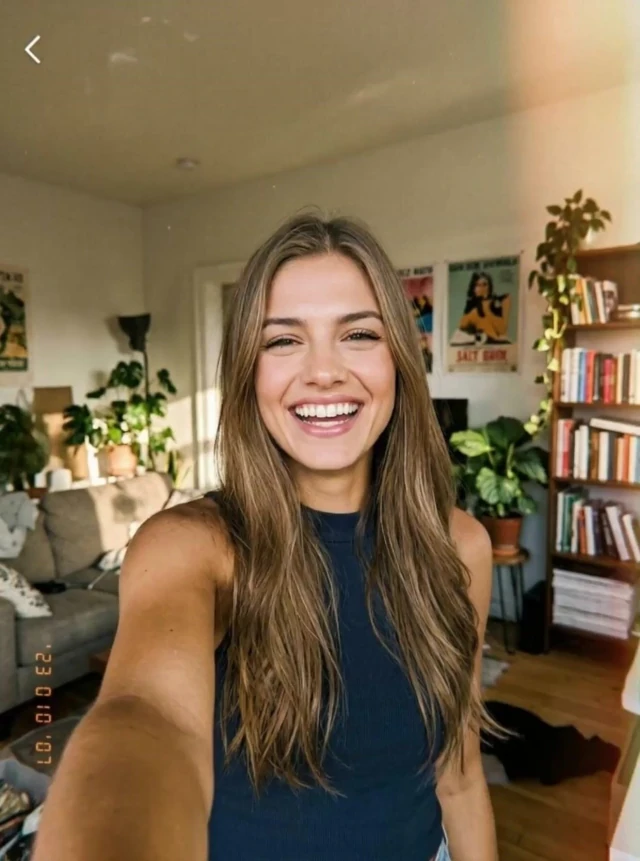
Prompts should be short and concrete: the scene, one action, the light, and the framing. “Selfie close-up on the blue velvet sofa, warm afternoon light, holding the serum bottle” works. Camera-lens jargon and lists of adjectives do not; they push the output toward a stock-photo look that reads as AI. The photo form ships with presets for the formats that perform (studio on white, UGC selfie at home, gym progress selfie, bathroom selfie, driver's seat selfie, product-in-hand demo, golden-hour lifestyle, streetwear lookbook, beauty close-up, corporate portrait), so a first batch needs no prompt writing at all. Mirror selfies and casual phone framing are the most reused formats among our paying users for a reason: they look like something a person would post.
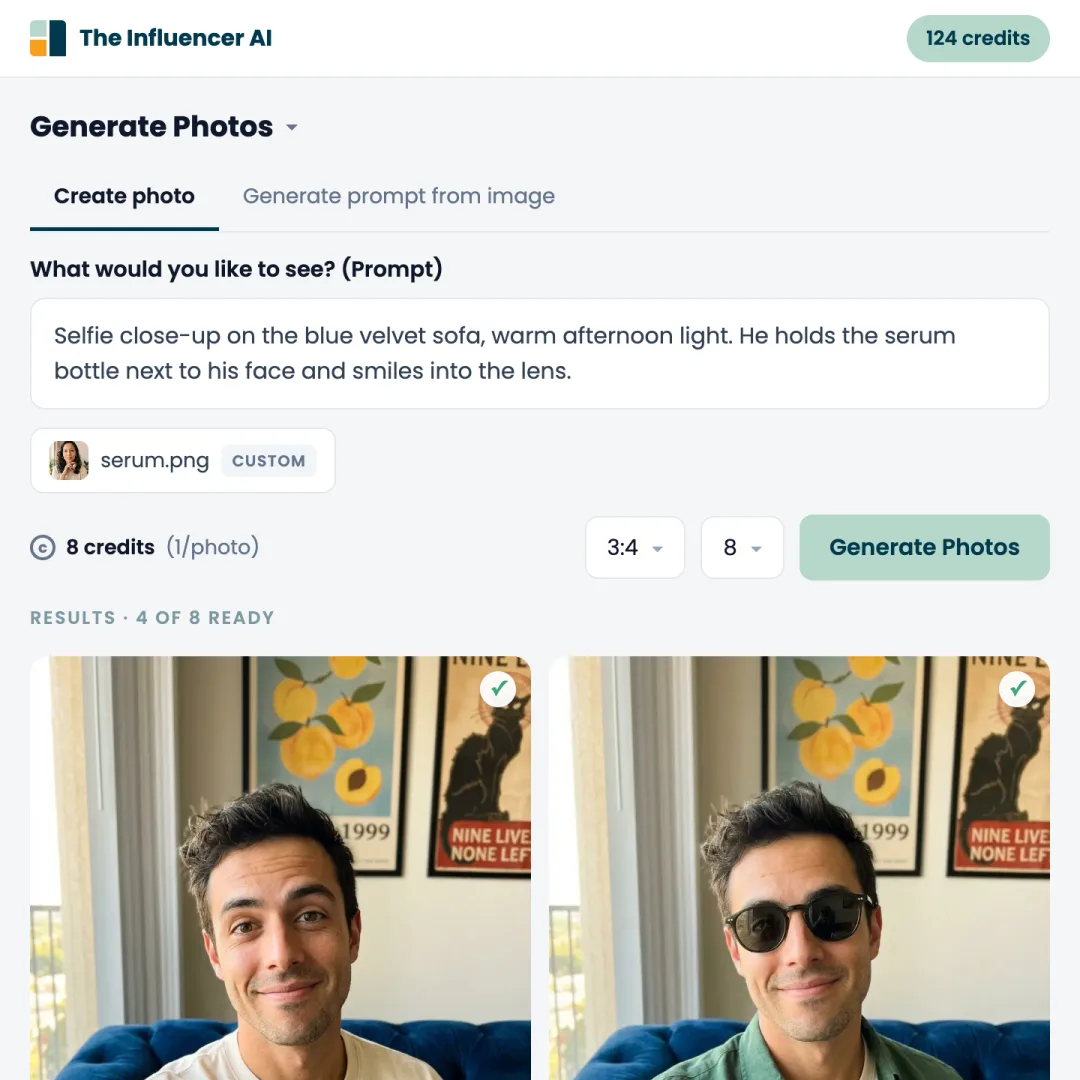
Two things make the set usable for a real account. First, variety of setting with no variety of face: the grid below is one influencer, six scenes, each from a text prompt with no reference photo attached. Second, real objects. If the account will sell or promote something, attach it as an element. The form takes a product to hold, a garment to wear, a background to stand in, a pose reference to copy, a style reference to match, and accessories such as hats, jewelry or bags, each with its own slot. You can also paste a photo you admire into “Generate prompt from image” and get a prompt that recreates its framing with your influencer.
Tips for the first batch
- Batches default to 4 photos at 1:1; switch to 3:4 for the feed and 9:16 for stories and covers. Generate 4, review, then run 8 of the prompt that worked.
- Keep the best shot you already have and edit it instead of regenerating: restyle the outfit, swap the background, put the real product in hand, or run a virtual try-on of your own garment. Each edit is 1 credit and keeps the face because it starts from your photo.
- Upscale the three or four hero shots you will use as profile picture and pinned posts (1 credit each). Leave the rest at native resolution; feeds compress everything anyway.
How do you make videos and lip sync?
Start from a photo you already generated, animate it into a 3 to 15 second clip, and if you want it to talk, write the line in the prompt and switch on audio. Video is the part that separates an account people follow from a gallery people scroll past, and it is the feature paying creators use most after photos.
There are four video routes from any photo in The Influencer AI, and each is priced flat so you can plan a month in advance:
- Animate this photo with a prompt. The reliable route, because the face is already right in the first frame. Describe the motion, not the person: “looks up from the book, smiles at the camera, leans back.” Want her to speak? Write the line you want her to say in the same prompt, in any language, and switch on audio: the clip comes back with the speech, ambient sound and naturally synced lips, no separate step. Pick a length from 3 to 15 seconds (10 on Starter and Creator, 15 on Professional). 1 credit per second silent, 2 with audio, so a 5-second talking clip is 10 credits, always.
- AI-directed cinematic scenes. Describe the video idea and the scene-by-scene editor breaks it into shots you can adjust before generating. Use it for a product story or a mini vlog rather than a single gesture.
- Transfer motion from a video. Upload a reference clip and the influencer performs its movement, which is how dance, choreography and walk-and-talk clips are made. 1 credit per second, with an option to replace the reference's voice with an AI voice.
- Recreate a reel from a link. Paste an Instagram reel URL on the influencer's Inspiration tab and it is remade as a short of up to 10 seconds with your persona, including the spoken hook or the music-driven feel of the original. It is the fastest answer to “what do I post today.”
Lip sync is how you give the influencer one voice. Speech generated inside a video prompt can sound a little different from clip to clip; with lip sync you pick a voice once, from a library of native voices in 12 languages (English, Spanish, German, French, Hindi, Arabic and Portuguese among them), and put that same voice on every clip, so the persona sounds the same in every post the way she looks the same. It is also the fix for a clip you made silent, a generated voice you do not like, or a script longer than the clip. Open the video, pick the voice, paste the script, and the mouth is re-matched to it at 1 credit per second, or 2 in tricky-shot mode for side profiles, movement, or hands and props near the face. It works best on a close-up with the mouth visible and already moving; a smile held through the whole take or a wide shot is what makes it fail. Our lip sync fixes cover the rest.
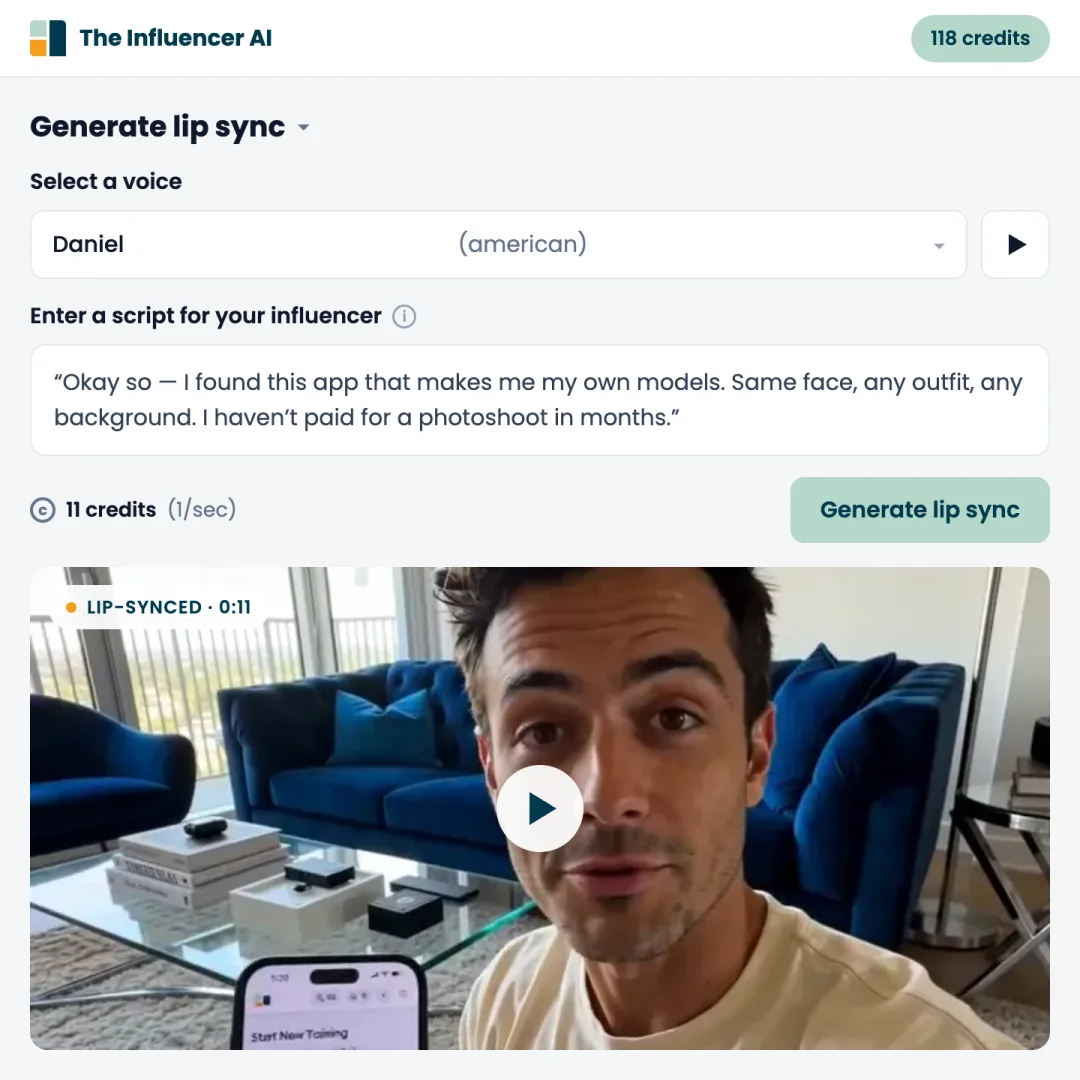
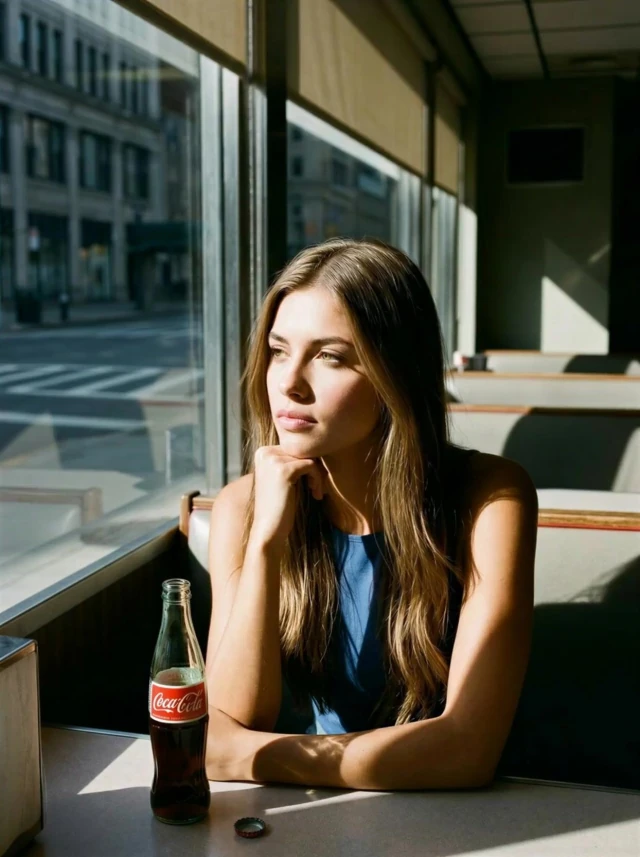
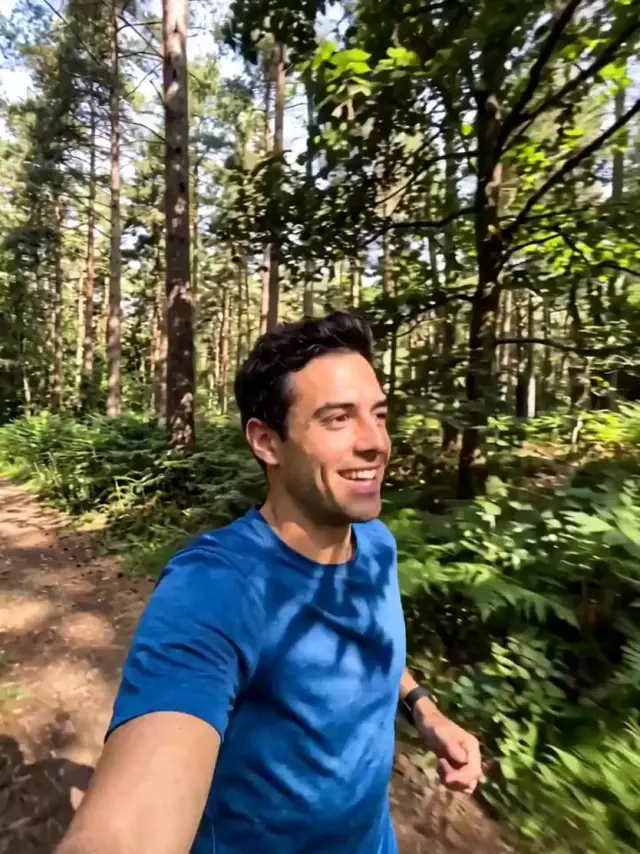
One thing you will not do in The Influencer AI is choose a model. The video and image engines behind these buttons change as better ones ship; we test the new flagship models against our personas and swap them in when they win, so your credits go to content rather than to finding out which model works this month. These are real clips generated with saved personas, the kind of output the first month of an account should be producing:
What the finished videos look like
Product promos, shorts, tutorials and lifestyle reels generated from consistent AI influencers.
How do you launch the account and what do you post?
Launch with the library already made, post three to five times a week on a schedule, and answer comments in the persona's voice. The accounts that stall are the ones that generate one post at a time.
- Set up the profile. An upscaled headshot as the picture, a bio that says what the account is about and that it is AI, and the first nine posts chosen so the grid shows the same face in different settings. Start on Instagram and TikTok; add YouTube Shorts when you have clips.
- Post from a batch. Two weeks of content before the first post, then a weekly generation session. A useful mix is roughly three everyday photos, one talking video and one product or promo post per week.
- Copy what already works. The Inspiration tab shows breakout reels recreated with AI personas and lets you paste any reel link to remake it with yours. Formats that travel well include the morning routine, the “three things I wish I knew” talk-to-camera, the try-on haul and the product-in-hand review.
- Stay in character. Captions, replies and DMs in the same tone as the brief. The persona is the product; the photos are the packaging.
What do paying AI influencer creators actually do?
Most of them design a persona in the builder, a third clone themselves, and the formats they reuse are phone selfies rather than studio shots. These figures come from people who paid for The Influencer AI between April and mid-September 2026. We have not seen anyone else publish numbers like them, so here they are.
| What paying creators do | Share |
|---|---|
| Designed their own persona in the builder | 71% |
| Cloned themselves from their own photos | 32% |
| Started from a pre-made model | 34% |
| Influencers that are female | 87% |
| Edited a shot they already had (new outfit, background or product) | 1 in 3 |
| Most reused photo presets, in order | UGC selfie at home, gym progress selfie, bathroom selfie, driver's seat selfie |
| Photo formats | 49% square (1:1), 29% vertical (9:16), 19% portrait (3:4), 3% landscape |
| Stated goal at signup | Personal influencer 56%, experimenting 16%, selling products 10%, promoting a company 9%, client work 7% |
Three things to take from this. The formats people reuse are the ones that look like a phone, so resist the urge to make every shot editorial. Video is made from photos, so a good photo set is also your video library. And a third of paying creators edit shots they already have rather than regenerating, which is the cheapest way to get a product or an outfit into a post without touching the face. Method: subscription payers only, internal test accounts excluded, aggregates only, pulled from our database on September 17, 2026.
What does an AI influencer cost per month?
A working AI influencer costs from $29 a month on The Influencer AI, month to month, with plans up to $199 for agencies and high volume. Presenter-style tools such as HeyGen start at $29. Higgsfield starts at €19 a month before VAT, and its yearly discounts are charged upfront (about €564 for Plus). A do-it-yourself stack costs about $100 in credits per campaign plus your time managing consistency by hand.
| Route | Starting price | Billing | What it covers |
|---|---|---|---|
| The Influencer AI, Starter | $29/mo | Month to month, cancel anytime | 150 credits: a photo is 1 credit, a 5-second silent video is 5, the same clip with speech is 10. Three custom influencers per month plus unlimited pre-made ones. Edits, virtual try-on, upscales and motion transfer included. |
| The Influencer AI, Creator | $49/mo | Month to month, cancel anytime | 300 credits, six custom influencers per month, clone yourself from your own photos, videos up to 10 seconds per generation and 20 with Extend. |
| Higgsfield | €19/mo Starter, €59/mo Plus (EU prices, before VAT) | Month to month, or yearly upfront: Plus €47/mo (about €564 on day one) | A menu of 100-plus image and video models priced per attempt. Consistency is trained per character; Starter restricts which models you can use. |
| HeyGen, Creator | $29/mo ($24/mo billed annually) | Monthly or annual | Talking-head avatar videos from a script. Strong for presenter-style clips; photo sets, edits and try-ons are not what it is for. |
| Do it yourself (ChatGPT image + a video model + a voice tool) | About $100 in credits for one campaign | Pay per tool, several subscriptions | The a16z experiment below shipped 21 TikToks this way in about 30 minutes a day. You manage consistency by hand and re-describe the person in every prompt. |
The most useful public data point on the do-it-yourself route is an experiment by a16z partner Olivia Moore in August 2026. She built “Janie,” a fictional 19-year-old, from a single ChatGPT image with separate video and voice tools, spent about $100 in credits and 30 minutes a day, and posted 21 TikToks that passed a million views before the reveal, as Forbes reported. The cost is low either way. What the flat-plan route buys you is not a lower bill but a face that does not need to be re-described in every prompt, one credit pool for photos, edits, try-ons, video and lip sync, and a price you can compute before you start. See current plans and credit costs for the full table, and the Higgsfield and Arcads comparisons if you are choosing between specific tools, or our comparison of eight AI influencer tools to see them side by side.
On time: about an hour to set up (niche, brief, face, first batch), ten minutes for the first talking video, and then two to four hours a week to generate, post and reply.
How do you disclose it on Instagram and TikTok?
Label the account and label the posts. Since August 31, 2026, Instagram limits the reach of AI-generated profiles that do not disclose, TikTok requires its AI-generated content label on realistic synthetic people, and in the EU the AI Act's transparency rules apply from August 2, 2026.
- Instagram. The old “AI creator” label is now “AI-generated profile,” and accounts that feature an AI person without it lose eligibility for Reels and Explore recommendations, the two surfaces that bring non-followers. Instagram notifies accounts it detects and lets them add the label or appeal, per TechCrunch. Turn the label on in profile settings on day one.
- TikTok. Realistic AI-generated faces, voices and scenes must carry the AI-generated content label; the platform also reads content credentials to detect unlabeled synthetic media. TikTok's AI-generated content policy has the current rules. In the a16z test, TikTok auto-labeled 8 of 20 videos and the label did not hurt their performance.
- EU. Article 50 of the AI Act requires deepfake images, audio and video to be disclosed as artificially generated, and it applies to content generated from August 2, 2026. The European Commission's transparency guidelines explain what counts.
- Sponsored posts. Advertising rules did not change. A paid post still needs a clear disclosure of the commercial relationship, such as the FTC's endorsement guides in the US.
The practical version: put “AI” in the bio, switch on the profile label, tick the AI content toggle when you post, and keep #ad rules as they were. None of it costs reach. Hiding it now does.
How do people monetize an AI influencer?
The same four ways human creators do: brand deals, affiliate links, your own products, and using the persona as the face of a business you already run. The persona removes the production cost; it does not remove the audience building.
Among our paying users, the most common goal is growing a personal influencer account, followed by selling products or clothing, promoting a company or service, and creating content for clients. The business routes pay from day one because the influencer replaces a photoshoot or a hired creator rather than waiting on an audience: a store generates try-ons of its own catalog, a founder makes a spokesperson for ads, an agency runs a roster of personas for clients. The personal-account route pays later and pays more when it works. Aitana Lopez, the best-known example, earns thousands of euros a month from brand deals; our Aitana Lopez walkthrough covers that playbook. A realistic timeline for that route is three to six months of consistent posting before the first paid deal, with affiliate links and gifted product coming earlier. Whatever the route, the thing brands are buying is a recognizable face, which is why step 2 matters more than any prompt.
What are the common mistakes, and what can it not do yet?
The mistakes that cost accounts are all avoidable, and the limits of the technology are worth knowing before you promise a client anything.
- Changing the face after launch. Every redesign resets recognition. Lock it in step 2; use appearance adjustments for tweaks only.
- Everything looks like a studio shoot. Feeds that are all editorial read as AI. Mix in mirror selfies, phone framing, mess.
- Generating volume before the face holds. Make one batch of 4, check it, then scale.
- Skipping video. Photo-only accounts stall. A talking clip a week is the minimum.
- Buying an annual plan to try a tool. Several tools show annual plans as monthly rates. Test on a monthly plan or a trial first.
- Not disclosing. Covered above; the penalty is now algorithmic.
On limits: hands and small props still go wrong in some generations and need a retake. Video comes in generations of up to 15 seconds, so longer posts are stitched from several clips. Lip sync degrades on side profiles and hidden mouths. A cloned voice is not part of the default flow yet, so a clone of you speaks in a generated or library voice rather than your own. And audiences do notice AI; the evidence from the a16z test is that they keep watching anyway when the content is good and the account is honest about it. For advice in trust-heavy categories such as health or personal finance, a real human on camera still wins, which is why our comparison of AI influencers and UGC creators lists the exceptions.
Ready to build one?
Create an AI influencer you own, generate the first photo set, and make the first talking video from one saved identity. The face is free to build, then from $29 a month, cancel anytime.
Create your AI influencerFAQ
How long does it take to create an AI influencer?
About an hour for the setup: pick a niche, design the face, and generate the first photo set. The first talking video takes another ten minutes. Building an audience is the slow part and works the same way it does for a human creator: months of regular posting.
Do I need to know how to code or train models?
No. An AI influencer generator handles the model side. You choose traits or upload photos, write short prompts in plain language, and download the results. Training a LoRA yourself is possible but only worth it if you enjoy the tooling more than the content.
What is the difference between the builder, an AI clone and a pre-made influencer?
The builder designs a fictional person from traits; you own that face and nobody else can use it. An AI clone is built from your own photos, so the influencer is you. A pre-made influencer is a ready-made persona from the library, useful for testing or a quick campaign. All three generate photos, video and lip sync the same way once created.
Can I make an AI influencer of myself?
Yes. Upload 1 to 4 of your own photos and the generator builds a clone that keeps your real face across new photos, videos and edits. On The Influencer AI this is on the Creator plan and up. Only clone yourself or someone who has given you explicit permission.
Is it legal to run an AI influencer?
Yes, if you disclose it and do not impersonate a real person. Instagram, TikTok and YouTube all allow AI-generated personas with a label. In the EU, the AI Act's transparency rules for deepfakes apply from August 2, 2026. Sponsored posts still follow the normal advertising rules, such as the FTC's endorsement guides in the US.
Which tool is best for creating an AI influencer?
If you want influencers you own and reuse across photos, video, lip sync and edits at a flat monthly price, an AI influencer generator such as The Influencer AI is built for exactly that. If you want a presenter reading a script, HeyGen is the specialist. If you want to explore many video models for one-off clips, Higgsfield is the arcade.
How often should an AI influencer post?
Three to five posts a week on a steady schedule, plus stories or shorts when you have them. A batch of 20 to 40 photos and a few clips covers the first two weeks, which is the point of generating the library before you launch rather than one post at a time.
Can my AI influencer speak other languages?
Yes. Write the line in the language you want inside the video prompt, switch on audio, and the influencer says it in that language with synced lips. If you want a different voice on a finished clip, lip sync adds a library of native voices in 12 languages, including English, Spanish, German, French, Hindi, Arabic and Portuguese.
Can I use the AI influencer for my own brand or store?
Yes. Business uses (selling products, promoting a company, client work) are the second largest group of paying users after personal influencer accounts. Brand spokesperson videos, product-in-hand photos, and try-ons of your own apparel all come from the same persona, and you keep full commercial rights to the output.
Is there a free way to try this?
On The Influencer AI, designing the face in the builder is free, and the free trial gives you credits to generate photos before you pay. Most competing tools offer a free tier with watermarks or a one-day trial that auto-renews, so check the fine print before adding a card.
Will people know it is AI?
Some will, and the data says it matters less than you think. In a16z's August 2026 test, viewers worked out the persona was AI and kept watching; the account passed a million views in a week. What does hurt is hiding it: undisclosed AI profiles now lose Reels and Explore reach on Instagram.