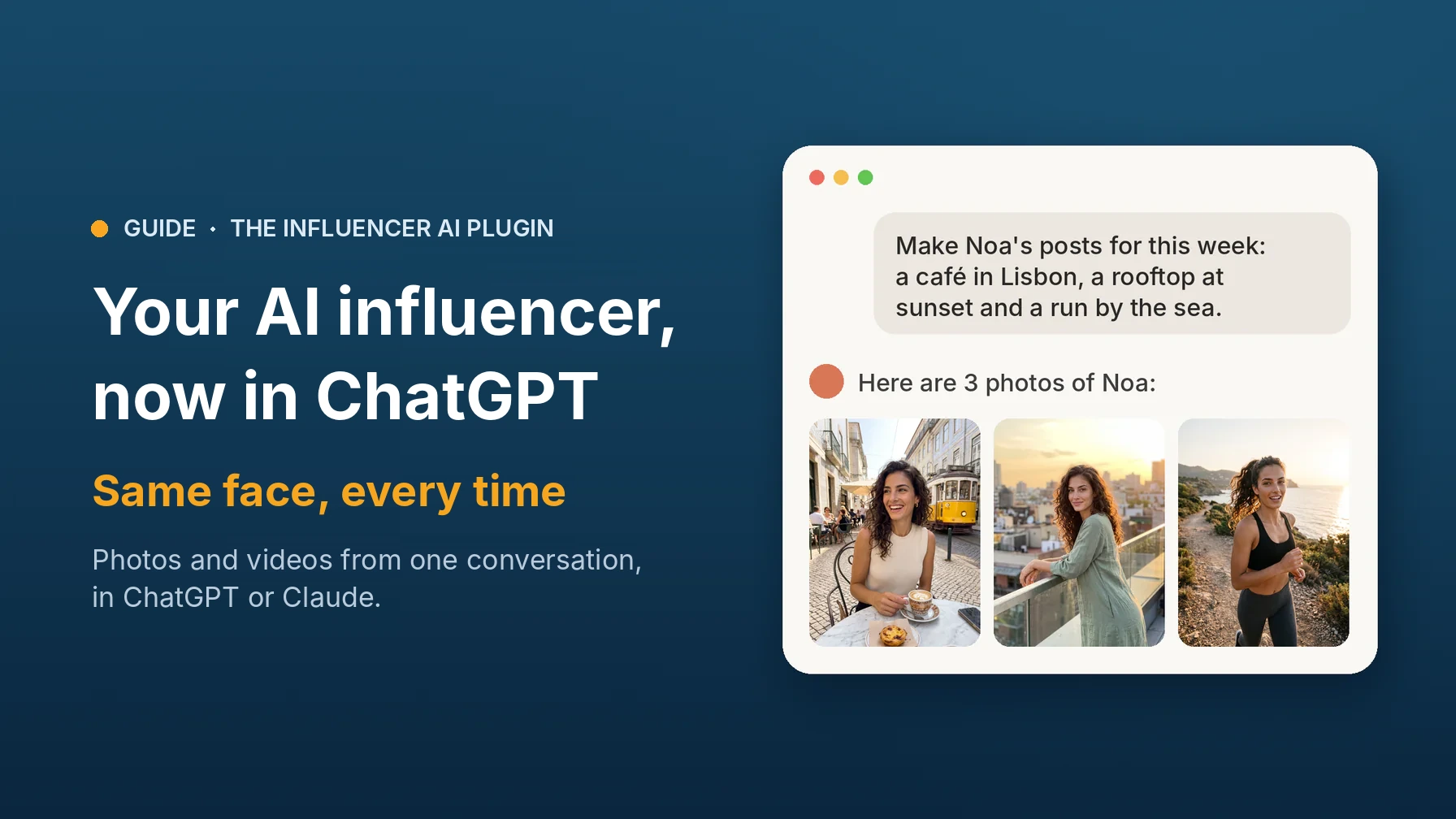
To create an AI influencer in ChatGPT that looks the same in every post, add The Influencer AI plugin for ChatGPT, describe your influencer, and ask for photos and videos. ChatGPT plans and writes; The Influencer AI makes every photo and video from your saved influencer, so the face never changes.
Why not just ask ChatGPT for pictures? Because an influencer needs more than one good picture. With The Influencer AI added, you get:
- The same person, every time. Your influencer's face, freckles and smile stay the same in every photo and video, post after post. That's the whole point of an influencer, and what we've spent two years getting right.
- The best models, always. We run the flagship image and video models, test each new one the moment it's released, and switch as soon as one is better. You never have to keep up.
- From idea to finished video. Photos with your product, try-ons, talking videos with voice and captions, lip sync and recreated reels, all in the same chat.
You bring the ideas, ChatGPT plans and writes, and we make your influencer look real. It works the same way in Claude, on any plan of The Influencer AI, trials included, with the credits you already have.
How to create an AI influencer in ChatGPT, step by step
- Add The Influencer AI to ChatGPT. On chatgpt.com, open Plugins, click Add, choose Add custom MCP server, paste
https://www.theinfluencer.ai/api/mcpas the Server URL and choose OAuth. Then sign in to The Influencer AI and click Allow. The ChatGPT plugin page has every click, and the steps for Claude and other apps. - Describe your influencer. Age, look, hair, style, anything that matters to you. You get a free preview portrait; change anything and try again, then say “Save her as Noa” (or any name).
- Ask for content. A week of posts, a photo with your product, a talking video or a trending reel. Every photo and video uses the saved face, and lands in your library on The Influencer AI too.
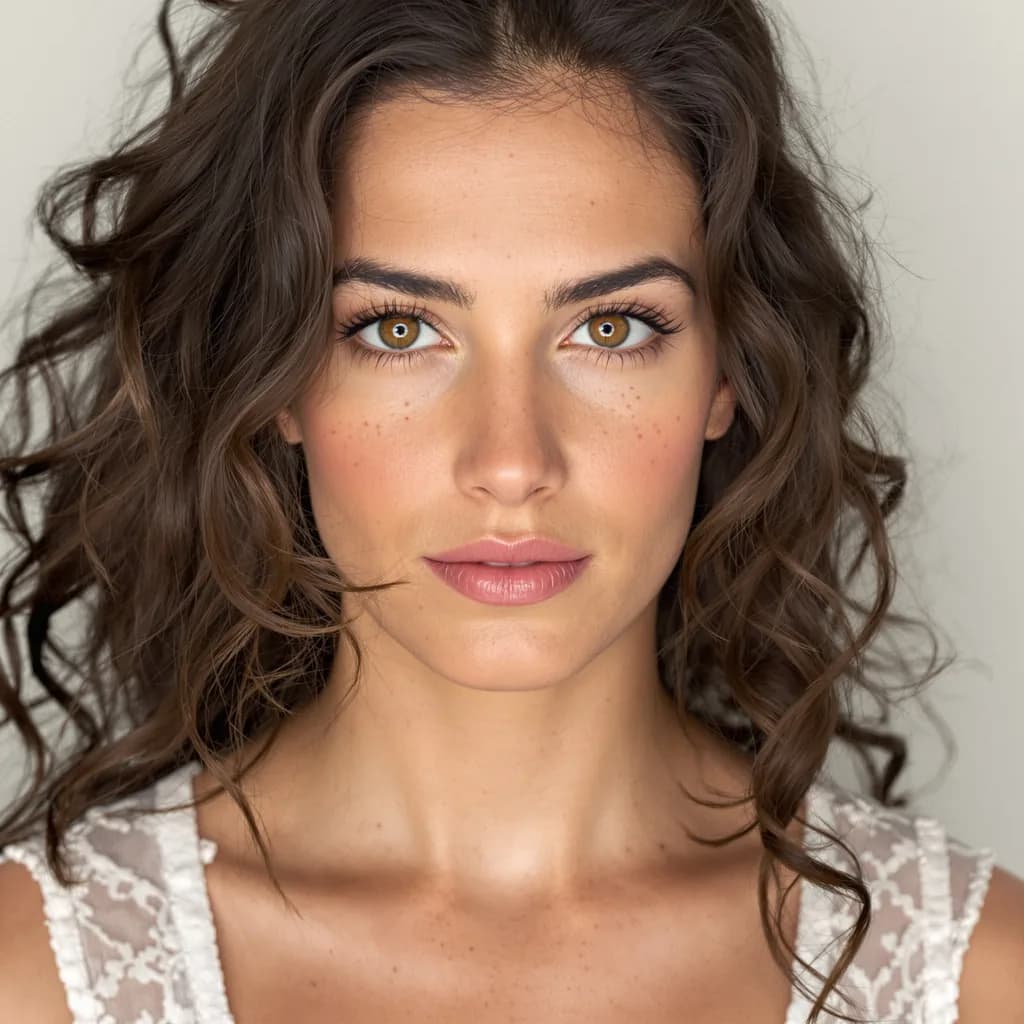
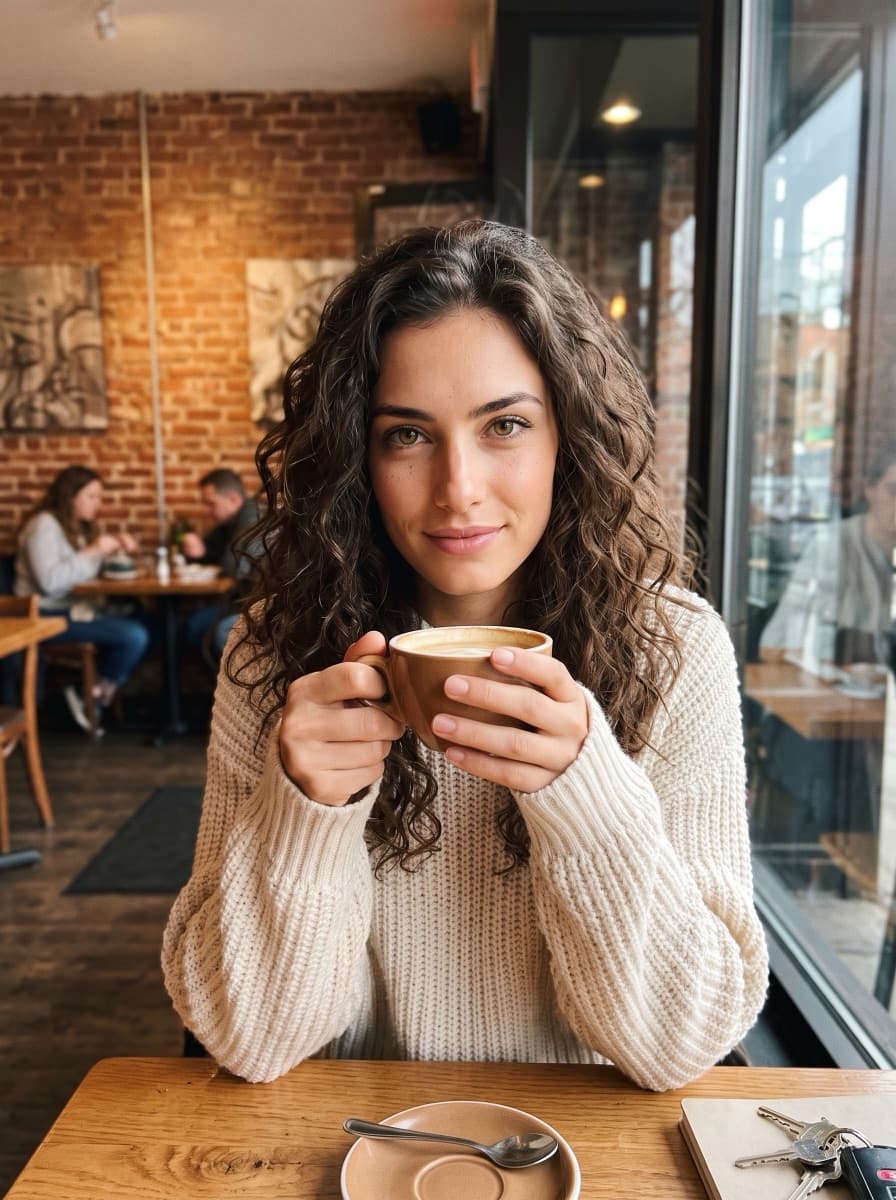
An AI influencer made start to finish in chat
Everything in this section was made in chat with The Influencer AI connected: the influencer and photos on November 4, and the video on November 5. This run was in Claude; it works the same way in ChatGPT, because the influencer, photos and video all come from The Influencer AI. Two photos of each scene came back and we kept one; nothing was retouched. Here's what we asked for, and what came back.
“Create a new influencer: late twenties, Mediterranean, long curly dark hair, hazel eyes and light freckles.”
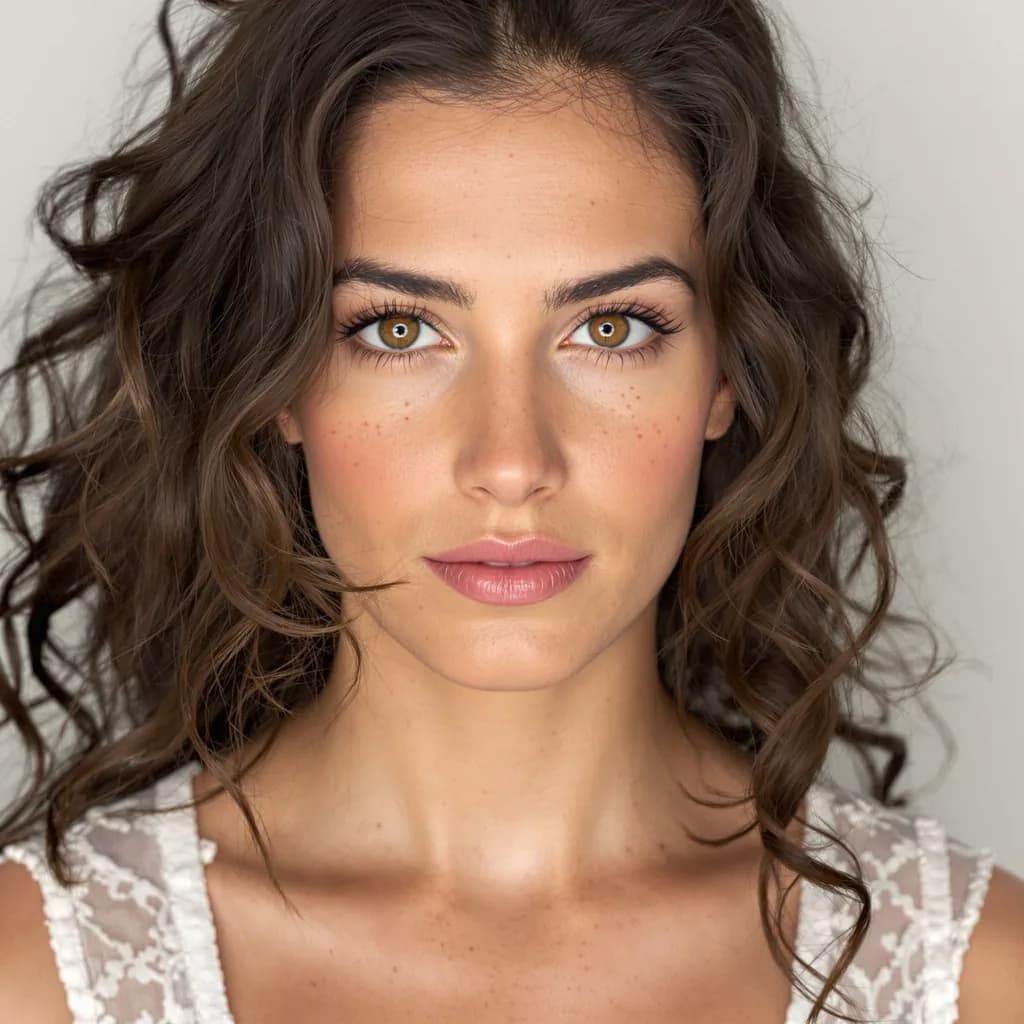
A preview portrait in about 15 seconds. Previews are free and nothing is saved, so you can change traits and try again until it's right. We liked the first one and said “Save her as Noa.” From here on, Noa's face is locked in.
“Make Noa's posts for this week: a café in Lisbon in the morning, a rooftop at sunset and a run by the sea at sunrise.”
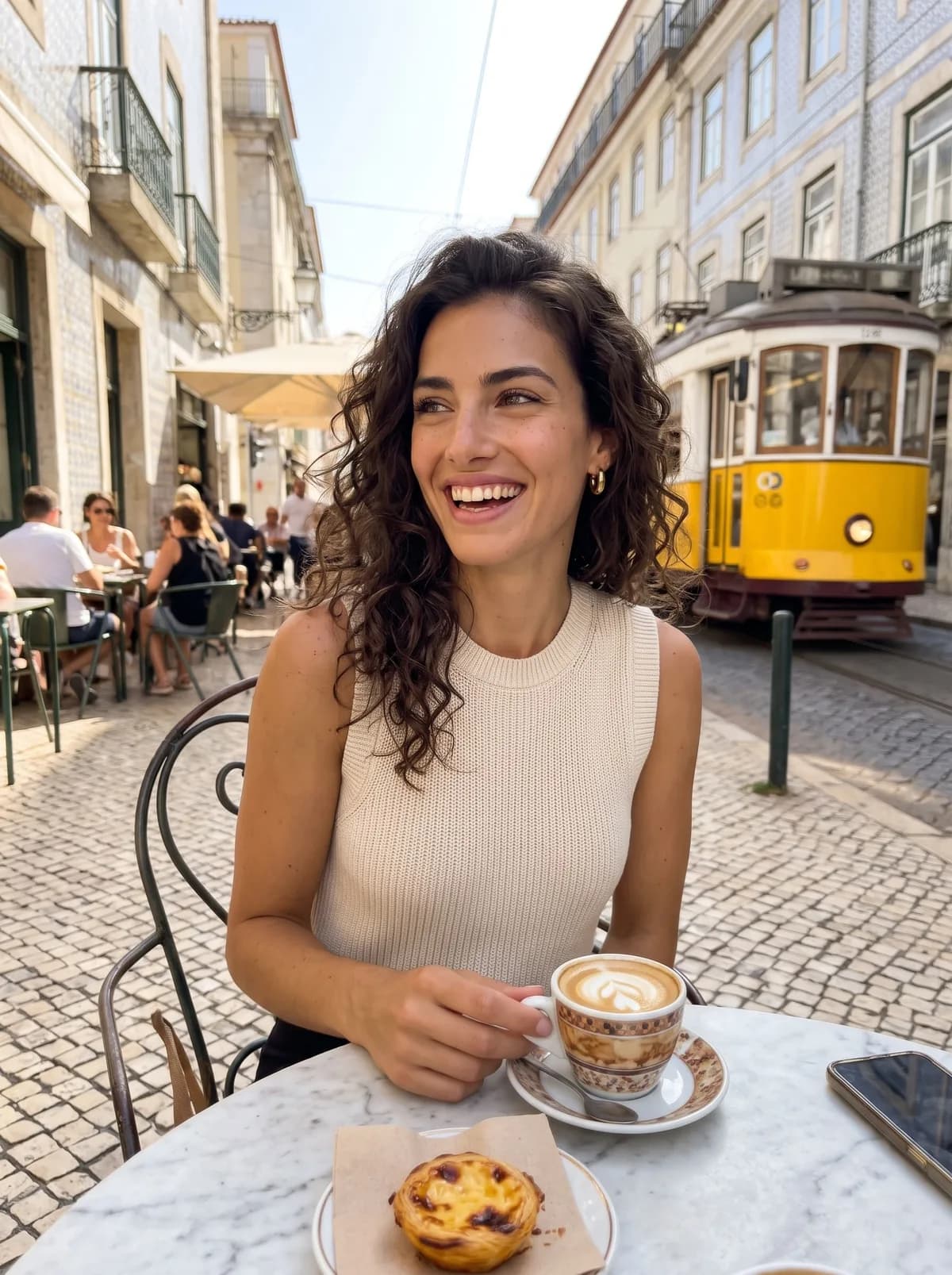
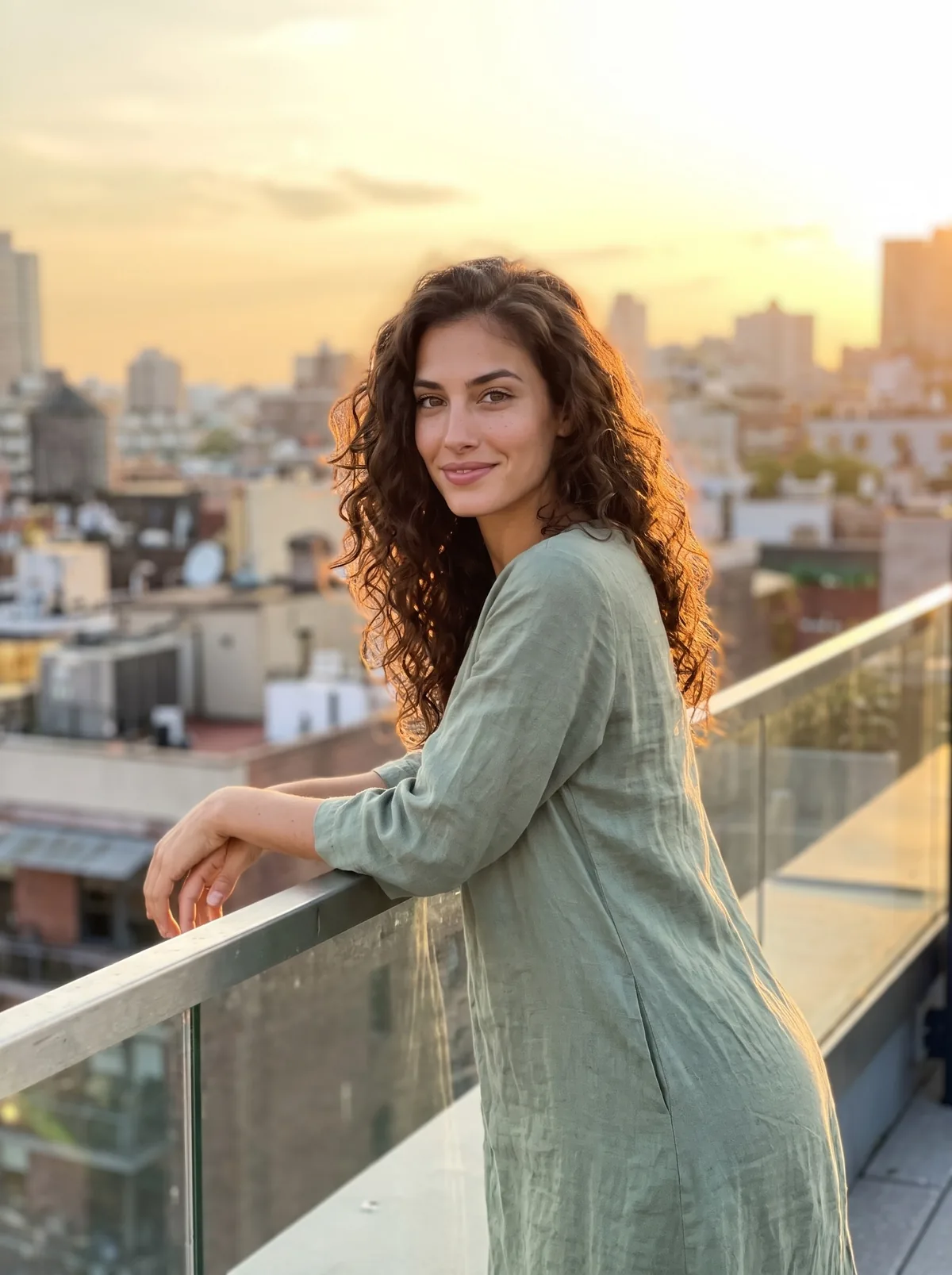
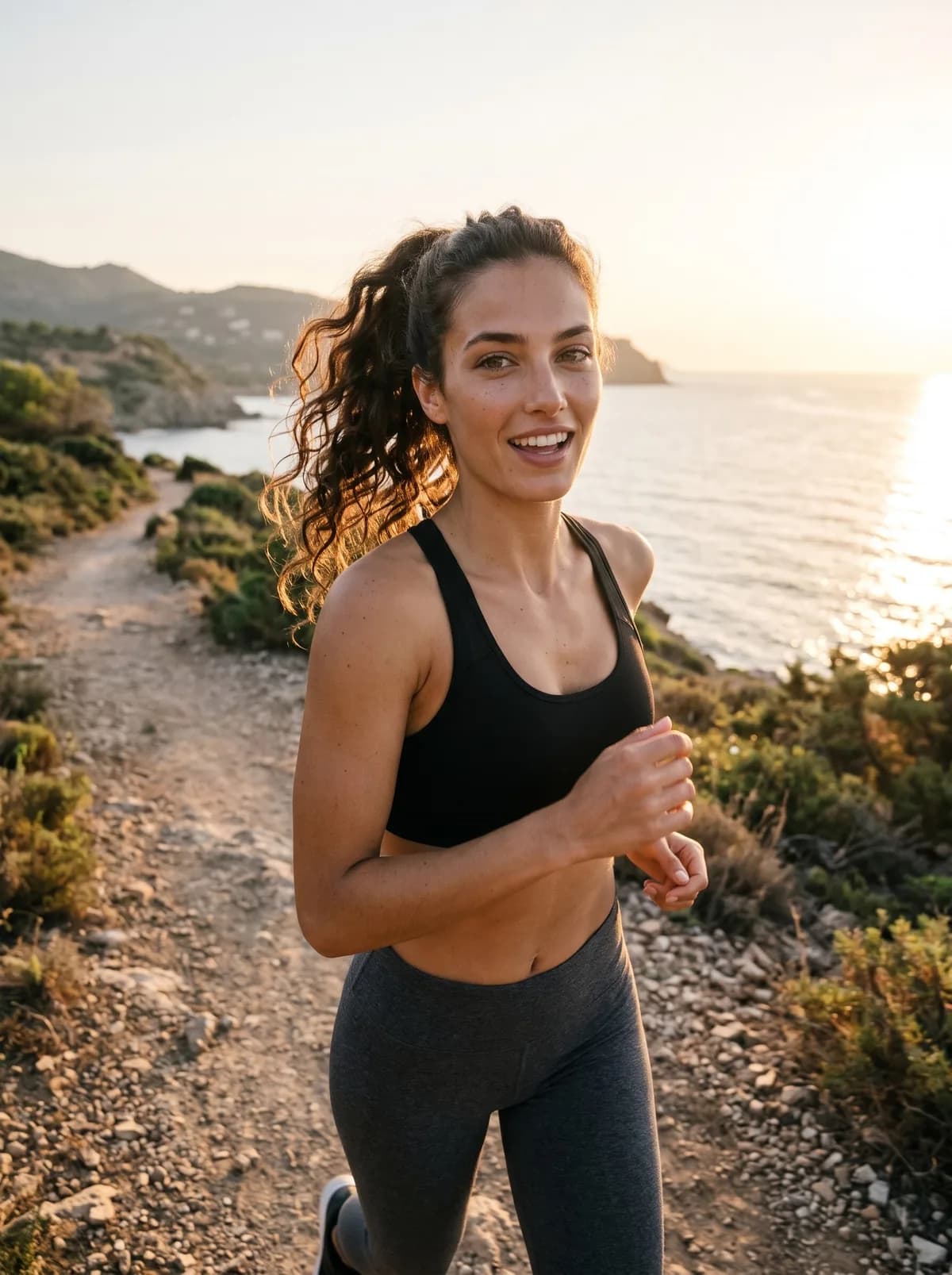
Three settings, three outfits, one face. The assistant wrote the scene for each photo; we never described Noa's face again, because the saved influencer takes care of that.
“She's doing a try-on for a small clothing boutique. Put her in the shop in a camel wool coat, then turn it into a 8-second video where she says ‘Just bought this coat, and I'm honestly never taking it off. I'm going in the shower with it.’ Add captions.”
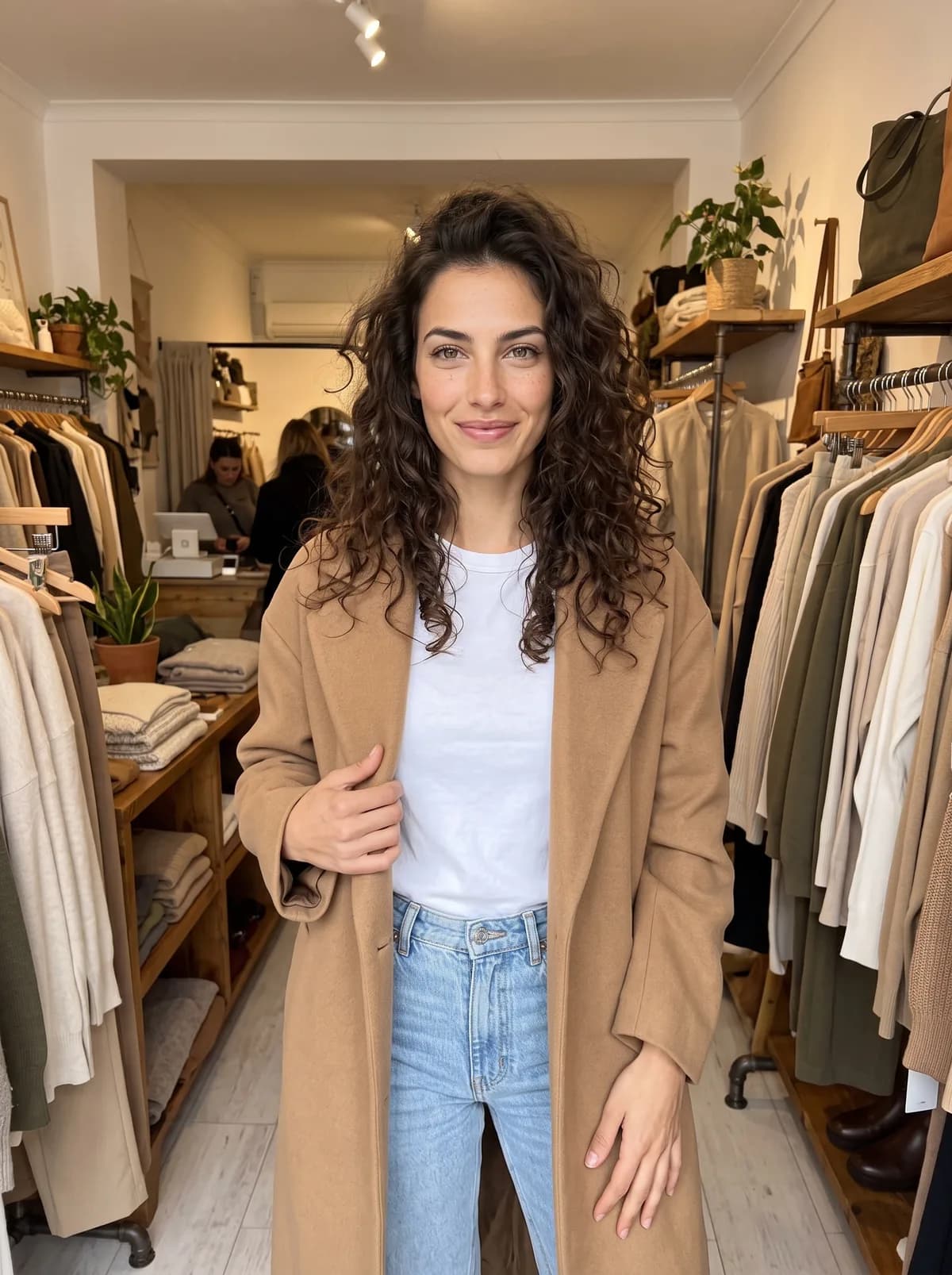
One photo, one video, voice and captions included. The kind of clip shops and brands make with The Influencer AI, now from a sentence in a chat.
That's a new influencer, a week of posts and a talking ad, in four messages. Each photo and video also landed in Noa's library on The Influencer AI, ready to download.
Try it with your own influencer
Add The Influencer AI to ChatGPT or Claude, then ask for your first photo.
Add it to ChatGPTWhat you can make in ChatGPT with it
This isn't a cut-down version. The things people use most on the website work from chat too:
Create influencers
Describe one and get a free preview portrait, change anything, then save. Or clone yourself from 1 to 4 photos.
Photos with the same face
Any scene, outfit or lighting, with your product, a garment or a place as a reference image.
Videos that talk
Turn a photo into a video with speech or music, add captions, extend it, or lip sync a script in a chosen voice.
Recreate a reel
Paste an Instagram reel link and get it back starring your influencer, or copy the moves of any video.
Edit and try on
Change a top, add a handbag, dress them in a garment from a photo, or upscale a favourite.
Change their look
New hair, freckles or glasses on a saved influencer, previewed first and kept only if you like it.
You can also check your credits, find last week's photos, favourite, rename, archive or delete things, all by asking. Buying credits and changing your plan stay on the website.
Your assistant plans. We make it look real.
AI assistants are great at the thinking side of content: ideas, scripts, captions, hashtags, a posting plan. What they can't do on their own is keep one person looking like themselves across a hundred posts, on the best image and video models out there. That's the part we add.
Put the two together and a few things get much easier:
- Whole jobs, not single images. Ask for a week of posts with captions, and the assistant plans the scenes and makes every photo in one go.
- Your context comes along. If your assistant already has your brand notes, your product photos or your content calendar, it can make content straight from them.
- Results in the chat. In ChatGPT and Claude, photos and videos appear right in the conversation, so you can say “the second one, but at night” and keep going.
- Your choice of assistant. Use the one you like best, or switch. Your influencers, credits and library are the same everywhere.
New to AI influencers? Start with what an AI influencer is, or our step-by-step guide on how to create an AI influencer.
Six things to ask for first
A week of posts
“Plan 7 Instagram posts for Noa this week around a weekend trip to Lisbon, write the captions, then make the photos.”
Your product in an ad
“Here's a photo of my candle. Make Noa holding it on a cosy sofa, then turn the best one into a 10-second video where she says why she loves the scent.”
Steal a trend
“Recreate this reel with Noa: [paste an Instagram reel link]. Tell me what it costs first.”
Make me an AI version of me
“Create an AI clone of me from these 3 selfies, then put me in a sharp navy suit on a conference stage.”
Try on the new collection
“Put Noa in this dress [attach the product photo] in a sunny street in Barcelona. Three angles, 3:4 for the feed.”
Same video, new language
“Make Noa's coat video say the same line in Spanish, in a voice with a Madrid accent.”
Swap Noa for your influencer's name. If you only have one influencer, you don't even need to name them.
One more thing you can ask for: if something could work better, or you'd like it to do something new, tell your assistant. It writes the message with you and sends it to our team once you agree. We read every one.
Same price as the website. Nothing extra.
No extra fee
The plugin is included in every plan, trials too.
One balance
Chat and website use the same credits, at the same price.
Clear costs
Your assistant knows what each action costs, and after each one it gets the credits used and what's left.
Your credit usage page shows what every credit went on, whether you made it on the website or in a chat. See plans and prices. New to The Influencer AI? Create your account and start a trial, then add the plugin.
Questions people ask
Can ChatGPT keep the same face in every photo?
Not reliably on its own: ask for the same person in a new scene and the face often changes a little. With The Influencer AI plugin added, ChatGPT makes every photo and video from your saved influencer, so the face, freckles and smile stay the same.
How do I add The Influencer AI to ChatGPT?
On chatgpt.com, open Plugins, add a custom MCP server with the address on our ChatGPT plugin page, and sign in to The Influencer AI. It takes about two minutes. Custom servers need a ChatGPT plan that allows them.
Does it work in Claude too?
Yes. Claude calls it a connector, and the steps are on the same page. Claude doesn't make photos on its own; with The Influencer AI added, it can create a realistic AI influencer and make photos and videos of them, right in the chat.
Is there an MCP for AI influencers?
Yes. The Influencer AI is an MCP server: ChatGPT calls it a plugin, Claude and Grok call it a connector. It's different from influencer marketing MCPs, which help you find and manage real creators: this one makes the content itself, with the same face in every photo and video.
What is an MCP?
MCP (Model Context Protocol) is the open standard AI assistants use to connect to other apps. Think of it as a plug: the assistant brings the conversation and the ideas, the app brings what it's good at. Ours brings saved AI influencers whose face stays the same in every photo and video.
Does the plugin cost extra?
No. It uses the same credits as the website, from the same balance, at the same price. Your assistant is told the cost before anything that uses credits, and your usage page shows what each credit went on, from the website or from chat.
Which plan do I need?
Making photos and videos needs a plan or a trial, the same as on the website, and every plan works, trials included, from the same credits. Saving a new influencer uses one of your plan's influencer slots, and cloning yourself needs Creator or above. Without a plan, you can still design and save an influencer, ready for when you start a plan or a trial.
Which AI apps does it work with?
ChatGPT and Claude, plus Grok and the coding tools Claude Code, Codex and Gemini CLI. Most other apps that can add a remote MCP server with sign-in can use the same address. The setup steps for each are on our ChatGPT plugin page.
Is my account safe?
You sign in on theinfluencer.ai and choose to allow the connection, so the assistant never sees your password. You can disconnect an app at any time on your Connected apps page, and it stops working at once.
Where do my photos and videos go?
Into your library on The Influencer AI, exactly like the ones you make on the website. You can open, download or keep editing them there, or ask your assistant to find them later.
Your influencer, one message away
Add The Influencer AI to ChatGPT or Claude, and make your next week of content before your coffee gets cold.