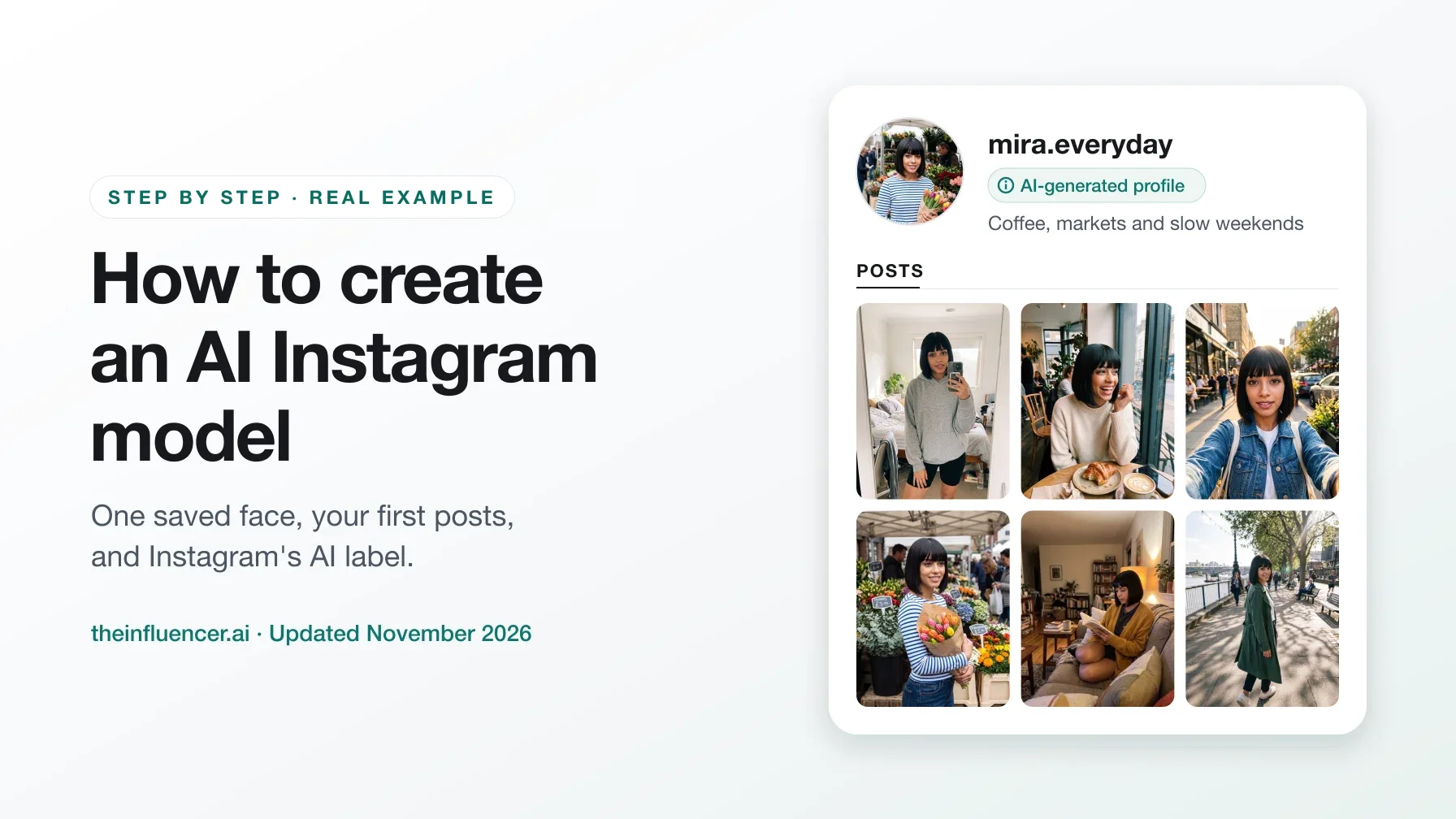
To create an AI Instagram model, design one AI person and save the face, make a first batch of photos and a few Reels from that saved face, open an Instagram account for them, turn on Instagram's AI-generated profile label, post nine photos, and then post three to five times a week.
An AI Instagram model is an Instagram account whose model isn't a real person: every photo and video is made with AI, and a person or a company runs the account. The hard part is the face. If it changes a little from post to post, people notice, and nobody follows a person who looks different every day. An AI influencer generator such as The Influencer AI solves that by saving the model once and making every photo and video from the saved face. That's the method this guide uses.
The making is quick: on The Influencer AI, photos usually come back in under a minute and a short Reel in one to three. Most of your time goes on deciding who the model is and what the account is about, which is step 1.
The example on this page is real
We made a model called Mira for this guide on November 20, 2026: 12 photos from six prompts and one talking Reel, for 17 credits. Nothing is retouched, and the prompts are printed below so you can reuse them.
In this guide
Who is your AI Instagram model, and what is the account about?
Decide four things before you make a picture: the subject, the person, the places and the voice. People follow an account about something. A face with no subject gives them no reason to.
- Subject. Fitness, fashion, food, a city, a job. Narrow is better: coffee and markets in one city beats “lifestyle”.
- Person. Name, age, look, and one feature people will remember. Mira's is a black bob with a fringe, plus freckles.
- Places. Three or four she's seen in again and again: her flat, a café, the market, the river.
- Voice. How captions and replies sound. Write two example captions now.
What most people pick
On The Influencer AI in 2026, 8 in 10 people who picked an age chose 18 to 29, 60% who picked a hair length chose long, and 44% of people who wrote their own photo prompts asked for an outfit or fashion look. So an older model, short hair or a subject other than fashion already stands out. More in our AI influencer statistics.
7 AI Instagram models worth studying first
These seven accounts come up most, and each made a clear choice about subject and look. Borrow the choice, not the person.
| Model | Made by | What to take from it | Instagram followers |
|---|---|---|---|
| Lu do Magalu@magazineluiza | Magazine Luiza, a Brazilian retailer | A model can be the face of a shop, not only an influencer | 9.8 million |
| Lil Miquela@lilmiquela | Brud, a Los Angeles studio, in 2016 | A storyline and opinions keep people following for years | 2.2 million |
| Granny Spills@grannyspills | Independent creators | A 75-year-old character stands out where most models are 25 | 2.2 million |
| Aitana López@fit_aitana | The Clueless, a Barcelona agency | One feature people remember (pink hair) and one subject (fitness) | 404,000 |
| Imma@imma.gram | A Tokyo studio | A signature look, the pink bob, in every single post | 377,000 |
| Naina@naina_avtr | Avtr Meta Labs, in India | A local life (Mumbai) beats a generic one | 340,000 |
| Shudu@shudu.gram | A fashion photographer | Editorial quality can be the whole subject | 235,000 |
Follower counts are from Kolsquare's list, measured on November 2, 2026, and rounded. For how one of these was built, read our Aitana López walkthrough.
How do you design the face and keep it?
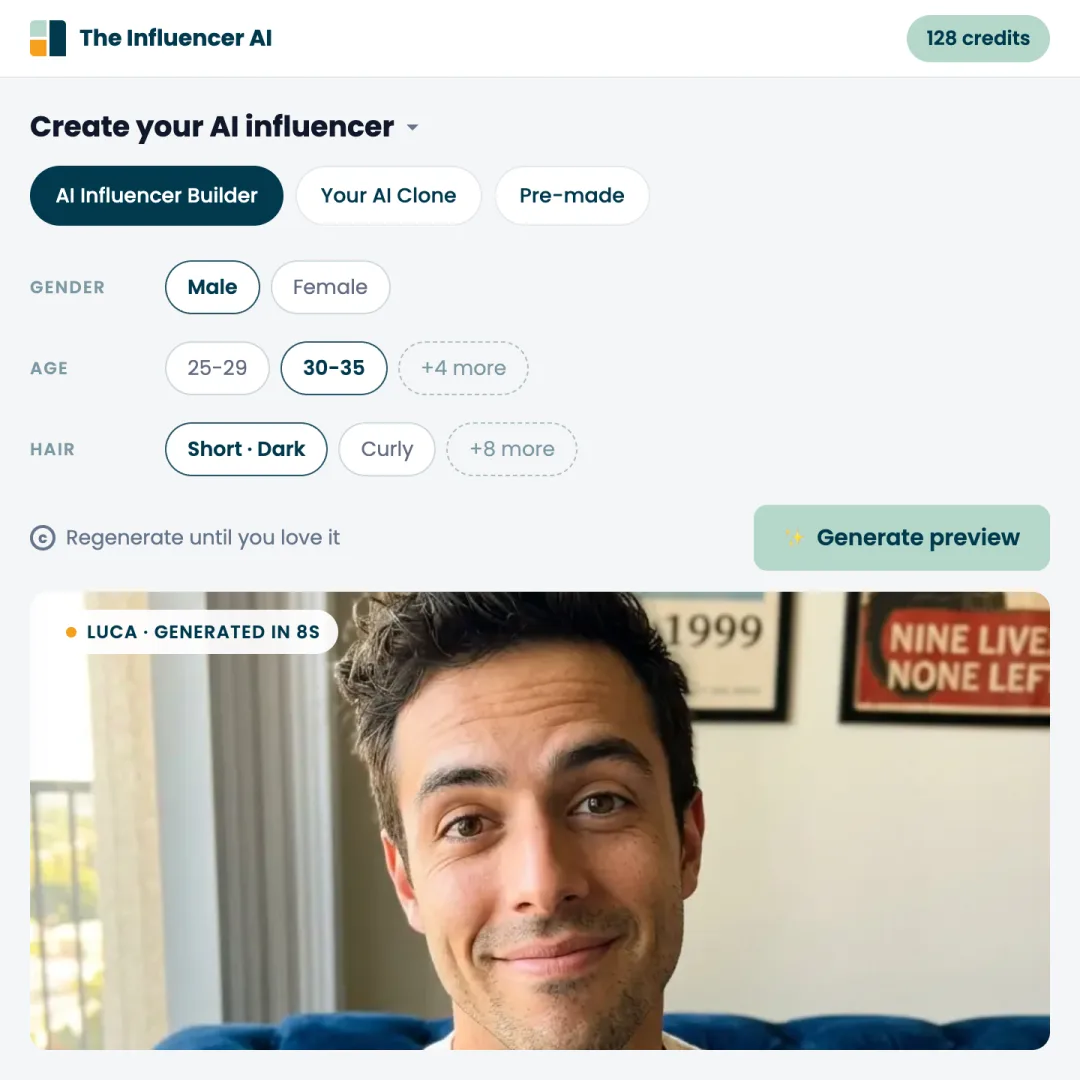
Design the model once in The Influencer AI's builder, then save it with a name. From then on the face is stored, and you never describe it again.
- Choose the traits. Gender, age, hair, eyes, body type and skin tone. Leave any of them on Best Fit and the app decides.
- Make previews until one is right. A preview takes seconds and costs nothing. Judge it at phone size, the way followers will see it.
- Save and name the model. Every later photo and video starts from this face.
Two other ways to start: clone yourself from 1 to 4 photos with the AI clone generator, or pick a ready-made model to learn the app. Every plan includes at least 2 new models of your own a month, so a second account is a second saved face.
Design your model now
Designing and saving the face is free. Photos and videos need a plan or the 3-day free trial; plans start at $19 a month, month to month.
How do you make your AI model's first Instagram photos?
In The Influencer AI, open the saved model and write a short prompt for each scene: the place, the outfit, what she's doing and the light. Don't describe her face or hair, because the saved model brings those. Here are six photos of Mira from six prompts.
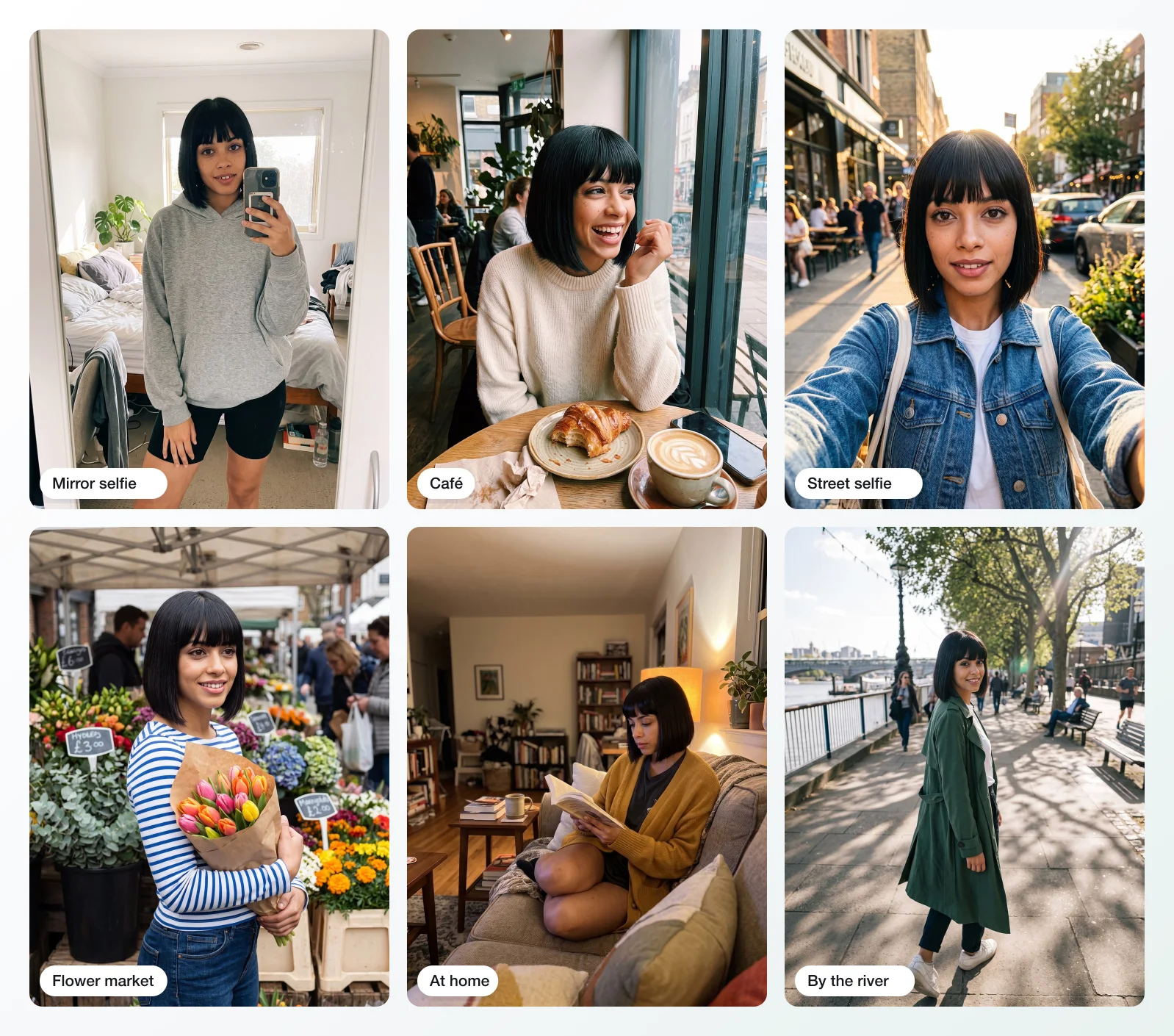
The prompts, exactly as we sent them:
Mirror selfie
Mirror selfie in a bright bedroom, holding her phone up, oversized grey hoodie and black bike shorts, unmade bed and a plant behind her, soft morning light, casual phone photo
Café
Sitting at a small cafe table by the window with a flat white and a croissant, cream knit sweater, laughing at something off camera, candid phone photo taken by a friend, soft daylight
Street selfie
Arm's-length selfie on a city street at golden hour, denim jacket over a white tee, canvas tote bag on her shoulder, slightly off-centre framing, looking into the camera with a small smile
Flower market
Standing at a weekend flower market stall holding a bunch of tulips, striped shirt and jeans, half-body shot, overcast daylight, candid
At home
Curled up on a sofa at home in the evening reading a paperback, mustard cardigan, a mug on the side table, warm lamp light, candid phone photo taken from across the room
By the river
Full-body photo walking along a riverside path on a bright afternoon, green trench coat, white trainers, looking back over her shoulder at the camera, taken by a friend
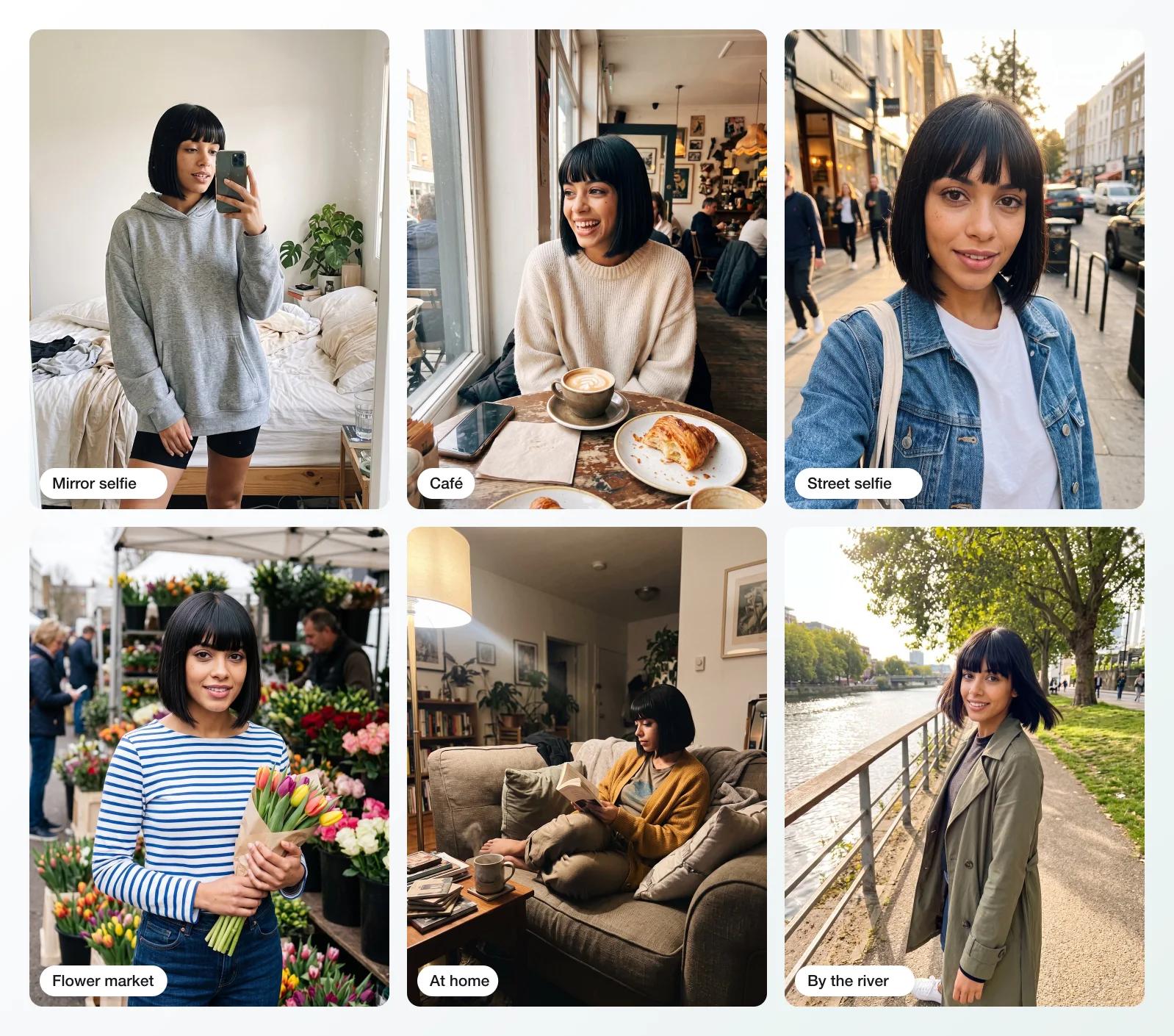
And the other six, so you can judge the face for yourself. It's the same person in all 12:
What makes a first batch work on Instagram:
- Make it look like a phone took it. Mirror selfies, arm's-length selfies and “taken by a friend” shots look like something a person would post. A feed of studio shots looks like an ad.
- Keep prompts short and plain. One scene, one action. Camera jargon and long lists of adjectives push photos towards a glossy stock look.
- Try 2, then make more of what worked. Make 20 to 40 photos in all and keep the 10 to 15 that look like one person having a normal week.
- Edit a photo you like to change the outfit or background, add a product, or try on a real garment from its photo. An edit starts from your photo, so the face can't move.
- Use 3:4 for feed photos and 9:16 for Reels and Stories.
How do you turn photos into Reels?
In The Influencer AI, open a photo you like, describe what happens, and write what she says in quotes. The video comes back with her voice and matching lips. Reels matter more than photos for a new account, because they're how people who don't follow you find it.
The prompt
Handheld selfie video as she walks slowly down the street. She looks into the camera, smiles and says "Okay, three coffee spots you have to try this week." Natural street sound in the background.
Made from the street selfie above: 5 seconds with sound, 5 credits. The first frame is the photo, so the face is right from the start.
- Describe the movement, not the person. “Looks up, laughs, tucks her hair behind her ear.”
- Keep a line to about two words a second. Ten words fit in five seconds.
- Give her one voice. Lip sync lets you pick a voice once and put it on every clip, so she sounds the same in every Reel.
- Borrow a format that already worked. Paste an Instagram reel link into the Inspiration tab and it's remade with your model.
Prefer to do it in ChatGPT or Claude?
Add The Influencer AI to ChatGPT or Claude and ask in plain words: “Plan Mira's posts for this week, write the captions, then make the photos.” The assistant plans and writes, and the photos and videos come back in the chat with the same saved face. Mira's photos and Reel on this page were made that way. It uses the same credits as the website.
How do you set up the Instagram account and its AI label?
Create a new Instagram account for the model, say it's AI in the bio, and turn on the AI-generated profile label before the first post.
- Username and name. Short and easy to spell. Put the subject in the name field if it fits (“Mira | coffee and markets”), because that field is searched.
- Profile picture. A close-up of the face, looking at the camera. Upscale it first so it stays sharp when someone taps it.
- Bio. One line on what the account is about, and the words “AI model”. People who find out later feel tricked. People who know from the start mostly don't mind.
- Professional account. Switch to a creator account in settings. It's free and gives you Insights.
- The label. Open your profile, tap Edit profile, and turn on AI-generated profile.
Why the label matters: Instagram allows AI model accounts, and since August 31, 2026 it treats labeled and unlabeled ones differently. Accounts that add the label themselves keep their reach. Accounts it finds without the label get a notification and can stop appearing in recommendations until they add it or win an appeal. In Instagram's words, people “want to know when a profile features an AI-generated person.” The source is Instagram's announcement, with background in TechCrunch's report. There's a second label, for single posts, and the two get mixed up:
| Question | AI-generated profile (the account) | AI info (one post) |
|---|---|---|
| What it covers | The whole account, when the person it presents is AI-generated | One post, Reel or Story made or changed with AI |
| Do you need it? | Yes, for any AI model account | Yes for realistic AI video and audio. Not required for still photos, though Instagram may add it itself |
| Where you turn it on | Edit profile, then AI-generated profile | Add AI label, on the screen where you share the post or Reel |
| If you leave it off | The account can lose its place in recommendations, as described above | Instagram may label it for you, and Meta says it may apply penalties |
The post rule comes from Meta's labelling policy. The short version: turn the profile label on once, and turn Add AI label on for every Reel.
What do you post first, and how often?
Start with nine photos that show the same face in different places, posted over two or three days. A visitor decides whether to follow from the grid. Three places with three photos each works well: a close-up, a half-body shot and a full-body shot in each row. Write the captions in her voice, in the first person, about the moment and not about the photo. Two we wrote for Mira:
Café photo
Flat white, almond croissant, and the window seat nobody else wanted. Saturday sorted.
Flower market photo
Went for one bunch of tulips, left with three. The stall on the corner has the good ones until about eleven.
Then post three to five times a week, with at least one Reel where she speaks. A week that suits a new account:
| Day | Post | Why |
|---|---|---|
| Monday | Carousel of 3 to 5 photos from one scene | Shows the same face from several angles in one post |
| Wednesday | Talking Reel, 5 to 10 seconds | A voice and a line turn a picture into a person |
| Friday | One photo from a new place | Shows followers something new while the face stays the same |
| Sunday | One everyday photo, plus Stories | Keeps the account active between Reels |
Make a week or two in one sitting. Accounts made one post at a time tend to stall, and a batch ready to go is what keeps the schedule. Once the week is routine, add a second Reel: a trending format remade with your model reaches people who don't follow you yet.
How do you keep your reach?
Keep the face the same, post on schedule and reply as the model. What costs AI accounts their reach is avoidable:
- Don't change the face. New hair for one post is fine, and the model's page has an appearance adjustment for that. A new person isn't.
- Reply in character, and never claim to be human when someone asks.
- Don't copy a real person. No celebrity lookalikes, and clone only yourself or someone who has agreed to it.
- Don't buy followers. It's against Instagram's rules, and followers who never watch make every post's numbers worse.
- Check Account Status once a month. It's where Instagram tells you if the account has been limited.
How do AI Instagram models make money?
The way human creators do, in four ways. Three of them need an audience first, so plan on months of regular posting before a paid deal.
- Brand deals. A brand pays for a post or a Reel. Aitana López averages about €3,000 a month and has reached €10,000, according to her creator Rubén Cruz, as reported by Euronews. She is one of the best-known AI models, so treat that as the top of the range.
- Affiliate links. A commission on what followers buy through her link.
- Your own products. Presets, guides, merchandise, a newsletter.
- The face of a business you already run. This one needs no audience. A shop that makes its own on-model photos of its clothes saves the cost of a shoot from the first week.
Paid posts need Instagram's paid partnership label as well. The AI label doesn't replace it.
What does an AI Instagram model cost in the first month?
About 64 credits for a full first month of posts, which fits inside the 100 credits of the Starter plan at $19 a month. Every action has a fixed price in credits, and a credit is about 19 cents on that plan, so you can add up a month before you make anything.
| What you make | Credits |
|---|---|
| 30 photos for the first batch | 30 |
| 10 edits or try-ons of photos you kept | 10 |
| 4 talking Reels of 5 seconds | 20 |
| 2 upscales, for the profile picture and a pinned post | 4 |
| Total | 64 |
Plans are month to month and you can cancel anytime. See plans and prices, or the longer guide to creating an AI influencer for every screen and setting.
Start with the face
Design your model, save it, and make the first nine photos from the same face. Building the face is free, then from $19 a month, cancel anytime.
Create your AI modelQuestions people ask
What is an AI Instagram model?
An Instagram account whose model is not a real person: every photo and video is made with AI or computer graphics, and a person or company runs the account. They're also called AI influencers or virtual influencers.
Can I create an AI Instagram model for free?
The Instagram account is free, and on The Influencer AI designing and saving the model's face is free. Making photos and videos needs a plan or the 3-day free trial, which comes with a few credits to test with.
Does Instagram allow AI models?
Yes, when the profile carries the AI-generated profile label. Since August 31, 2026, AI profiles that Instagram finds without it can stop appearing in recommendations. Instagram says accounts that add the label themselves keep their reach.
Do I have to label every post as AI?
Turn on Add AI label for realistic AI video and audio when you share them. Still photos don't require it, though Instagram may add an AI info label on its own. With the profile label on, it also shows next to posts that have no label of their own.
How do I keep the same face in every photo?
Save the model once and make everything from that saved face, so you never describe the face again. Describing a person in every prompt of a general image tool gives you a slightly different person each time.
Can I make an AI Instagram model of myself?
Yes. Upload 1 to 4 of your own photos and you get an AI clone that keeps your face in new photos and videos. On The Influencer AI that's on the Creator plan and above. Only clone yourself, or someone who has agreed to it.
Do AI Instagram models make money?
Some do, through brand deals, affiliate links, their own products, or as the face of a business. Aitana López averages about €3,000 a month, according to the agency that made her. Most accounts earn nothing until they've posted regularly for months.
Is it legal to run an AI Instagram model?
Yes, if you say it's AI and don't copy a real person. In the EU, the AI Act's transparency rules for AI-generated images, audio and video have applied since August 2, 2026. Paid posts follow the usual advertising rules, such as the FTC's endorsement guides in the US.
How can you tell if an Instagram model is AI?
Check the profile for the AI-generated profile label and the bio for the words AI or virtual. Without those, look at several posts: the same expression in every photo, skin with no texture, garbled text on signs, and no tagged photos from other people are the usual signs.
Who is the most famous AI Instagram model?
Lil Miquela, a computer-made character created in Los Angeles in 2016, is the best known. Lu do Magalu, the mascot of the Brazilian retailer Magazine Luiza, has the most followers, and Aitana López is the best-known model made with generative AI.
Are Naina and Mia Zelu real people?
No. Naina (@naina_avtr) is an AI character created by Avtr Meta Labs in India. Mia Zelu is an AI-generated influencer whose realistic photos went viral because many people took them for real.
Is this the same as creating an AI character inside Instagram?
No. Meta's AI Studio makes chat characters that people message inside Instagram. An AI Instagram model is a normal account that posts photos and Reels of a person made with AI.
Sources, and who we are
We build The Influencer AI, so the example uses our own product. Mira was made for this guide and has no live Instagram account. The accounts in the table aren't ours and weren't made with it. Instagram's rules were read on November 20, 2026 from Instagram's announcement (August 31, 2026) and Meta's labelling policy; the names of the buttons are as Hootsuite described them on November 4, 2026. Platforms change their rules, so check the source before you rely on one.